IR8A at year end
Each employee’s earnings, CPF and self-help fund donations for the year, added up from the payroll you finalised. You submit it to IRAS by 1 March.
Screenshots use a fictional business and staff. Select an image to view it full size.
Prepare the IR8A
Go to Payroll, then IR8A, and choose the Year of income. Income earned in 2025 is filed in 2026 (Year of Assessment 2026).
-
Each person has a card. The earnings, CPF and donations come from their finalised payroll. Check them, then fill in anything paid outside payroll, such as director’s fees, commission or notice pay. Put 0 where there is none.
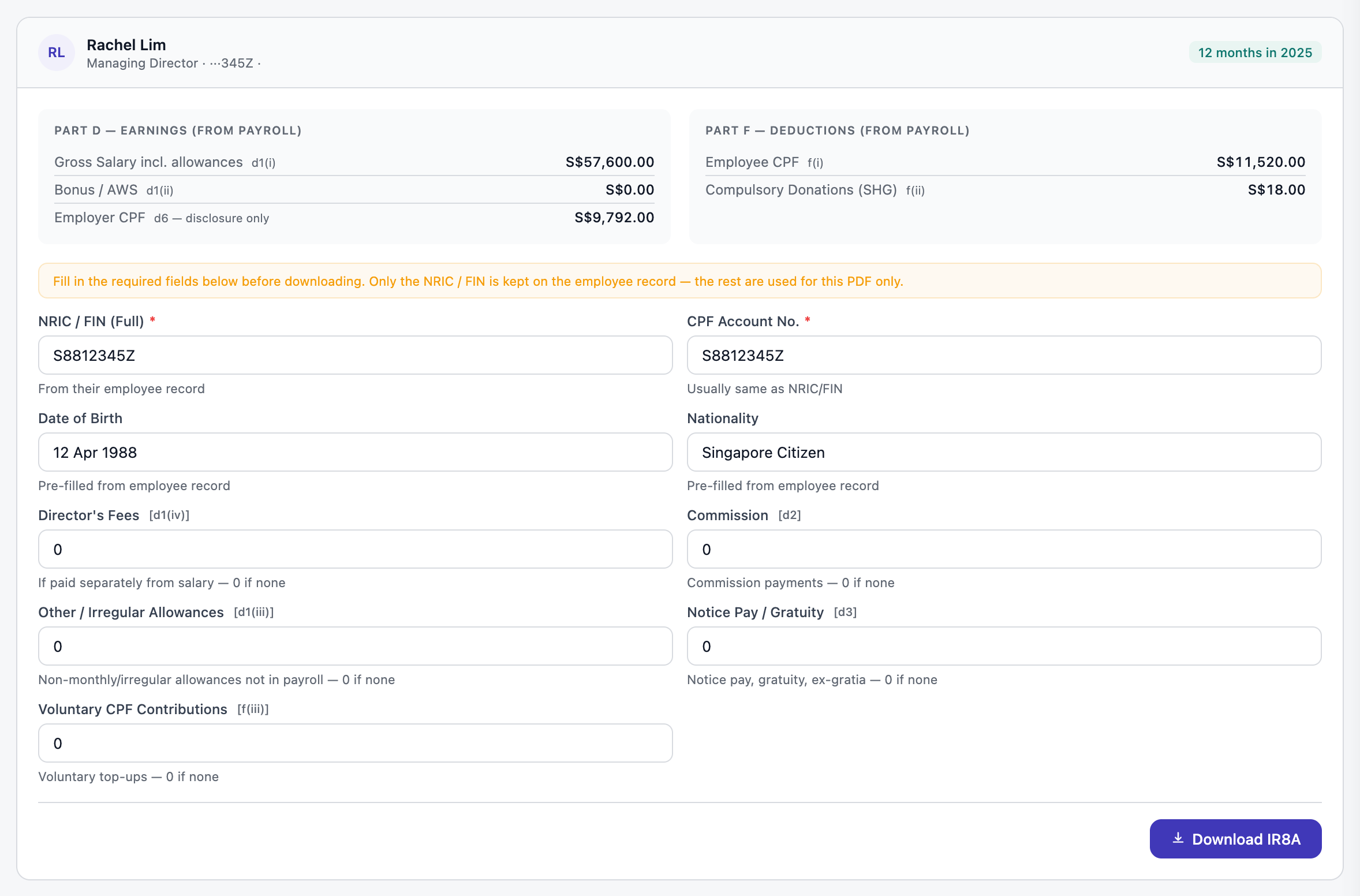
Everything from payroll is already in. Only the extra fields are yours to fill. Open full size Press Download IR8A for each person.
Submit it to IRAS
- Submit through myTax Portal by 1 March, using the figures on each IR8A.
- Give each employee their copy, for their own tax return.
- With 5 or more employees, IRAS requires the Auto-Inclusion Scheme (AIS), where the figures are submitted to IRAS electronically instead of as forms.
We never file with IRAS for you. The IR8A here is prepared for your reference and records; you submit it yourself.
Questions
A month is missing from someone’s total.
Only finalised payroll counts. Check that month on the Run Payroll page and finalise it.
Someone joined part-way through the year.
That is fine. Their card shows how many months they were paid and their start date.