Help/Accounting/GST F5
GST F5
For a GST-registered business. Every receipt and sale already carries its GST, so the F5 boxes for each quarter are filled in for you. Check them, file on myTax Portal, then record the payment.
Screenshots use a fictional business and figures. Select an image to view it full size.
Pick the quarter
Go to GST F5. The first time, set Filing cycle starts to match the quarters IRAS gave you (for example January, April, July and October).
-
Use the arrows to move between quarters. This quarter jumps back to the current one.
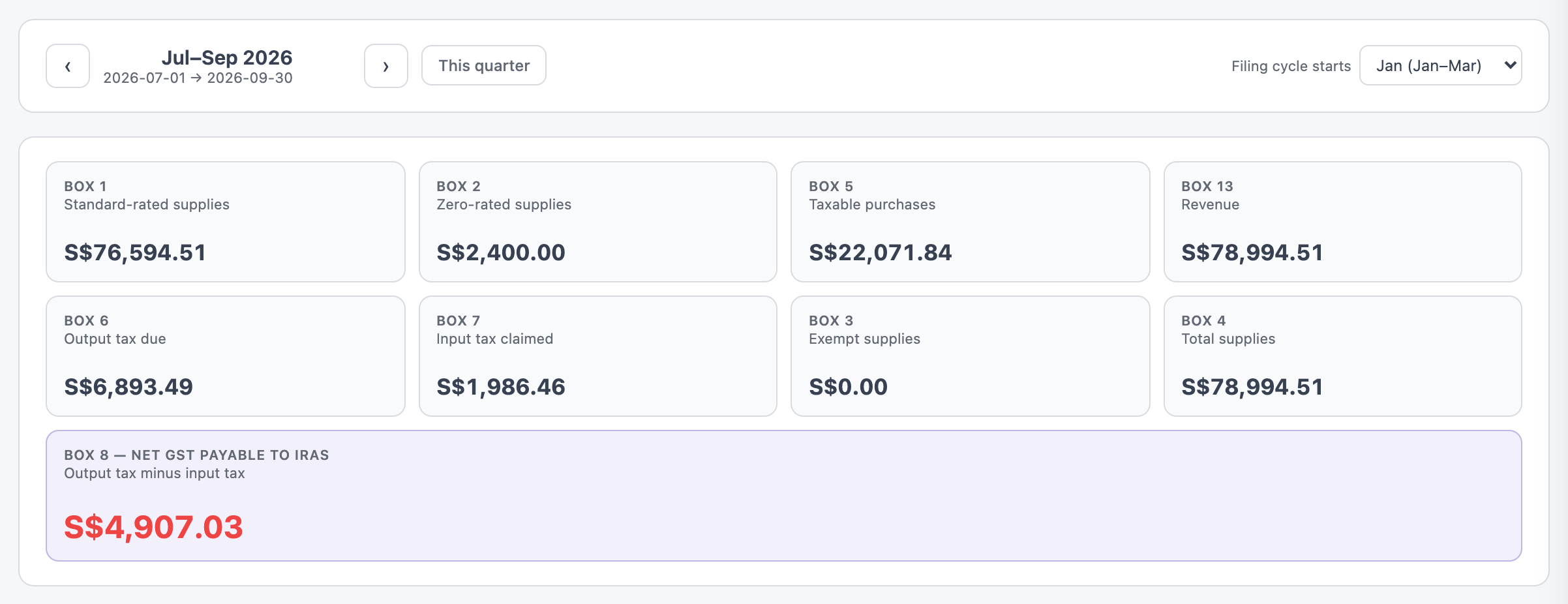
Box 8 is what you pay IRAS for the quarter: output tax (Box 6) less input tax (Box 7). Open full size
Check the lines
Below the boxes is every line in the quarter, grouped by tax code. Filter with the buttons along the top, or search.
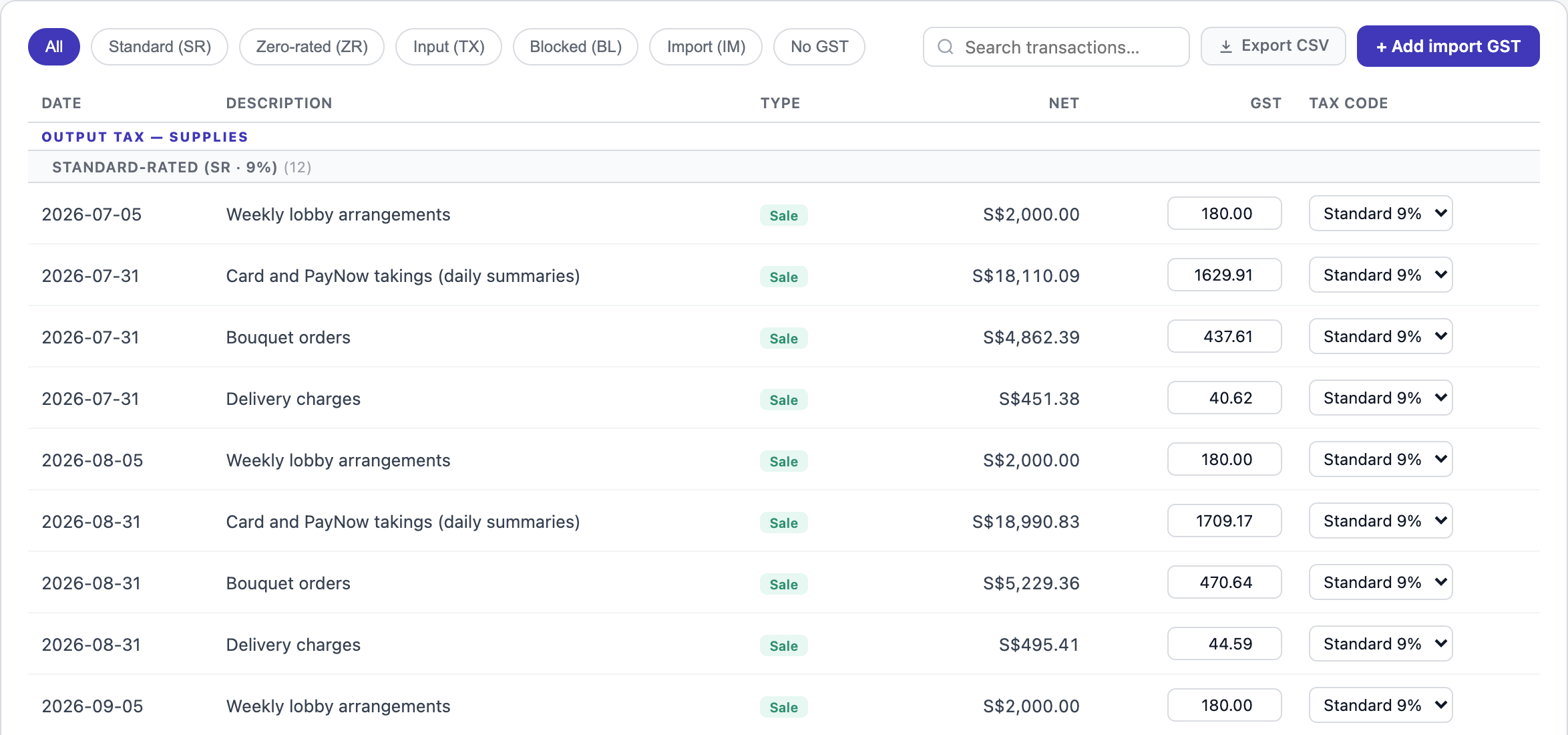
- Standard 9% (SR): sales in Singapore. Every sale starts here.
- Zero-rated (ZR): goods you exported. Change the tax code on that line.
- Input (TX): purchases whose GST you claim back. Receipts with GST start here.
- Blocked (BL): GST IRAS does not let you claim, such as entertainment, medical costs or a private car. Change the code and it comes out of Box 7.
- Import (IM): GST paid to Singapore Customs on goods you brought in. Press + Add import GST to add it.
A change saves straight away and the boxes update. If the GST amount on a line is wrong, type the right figure in its box.
File it yourself
Copy the boxes into the GST F5 on myTax Portal and submit it there. Press Export CSV if your accountant wants the lines.
SME AI Office does not file or pay anything with IRAS for you. It prepares the figures from your records; you check and submit them.
Record the payment
Once the quarter is over, a box asks whether you will be paying the amount in Box 8. After you have paid IRAS, check the amount and date and press Yes, record the payment.

If IRAS owes you a refund instead, the same box records the refund when it arrives.
Questions
Some of my sales show no GST.
If a sale has no tax code, a note asks you to decide. Set it to Standard 9% if GST applies, or Zero-rated if it was an export.
Why are salaries listed under No GST?
Salary, CPF and SDL carry no GST, so they are not in any box. They are listed so you can see nothing was missed.
I registered for GST part way through.
The registration date is kept in Settings, with your business details. Receipts dated before it have no GST split out.