Help/Compliance/Resolutions/Issue new shares
Issue new shares
Bring money into your company as new ordinary shares, to existing shareholders or to someone new. One resolution, signed once by everyone. Then you collect the money and tell ACRA.
Screenshots use a fictional company and people. Select an image to view it full size.
The example we follow
Tanjong Florist Pte. Ltd. has 5,000 shares, all held by its director Rachel Lim. Daniel Tan, also a director, is joining as a shareholder. They want 12,000 shares in total, split 45% Rachel and 55% Daniel, at S$1.00 a share.
- Rachel takes 400 new shares (S$400), going from 5,000 to 5,400.
- Daniel takes 6,600 new shares (S$6,600), from none to 6,600.
- 7,000 new shares, S$7,000 into the company.
Before you start
- Open Company Setup and check every shareholder is listed with their number of shares. The resolution works out the before and after from these.
- Only ordinary shares can be issued this way.
- Only one share issue can be waiting for signatures at a time.
Fill in the details
-
Go to Compliance, then Resolutions, and press Start on Issue new shares.
-
Enter the Price per new share (S$1.00) and the Shares allotted on date. That is usually the day the money comes in, and ACRA must be told within 14 days of it.
-
Adding someone who is not a shareholder yet? Press + Add a new shareholder and fill in their name, the last 4 of their NRIC or FIN, their nationality and their email. They sign the same document to apply for their shares, and are added to Company Setup once everyone has signed.
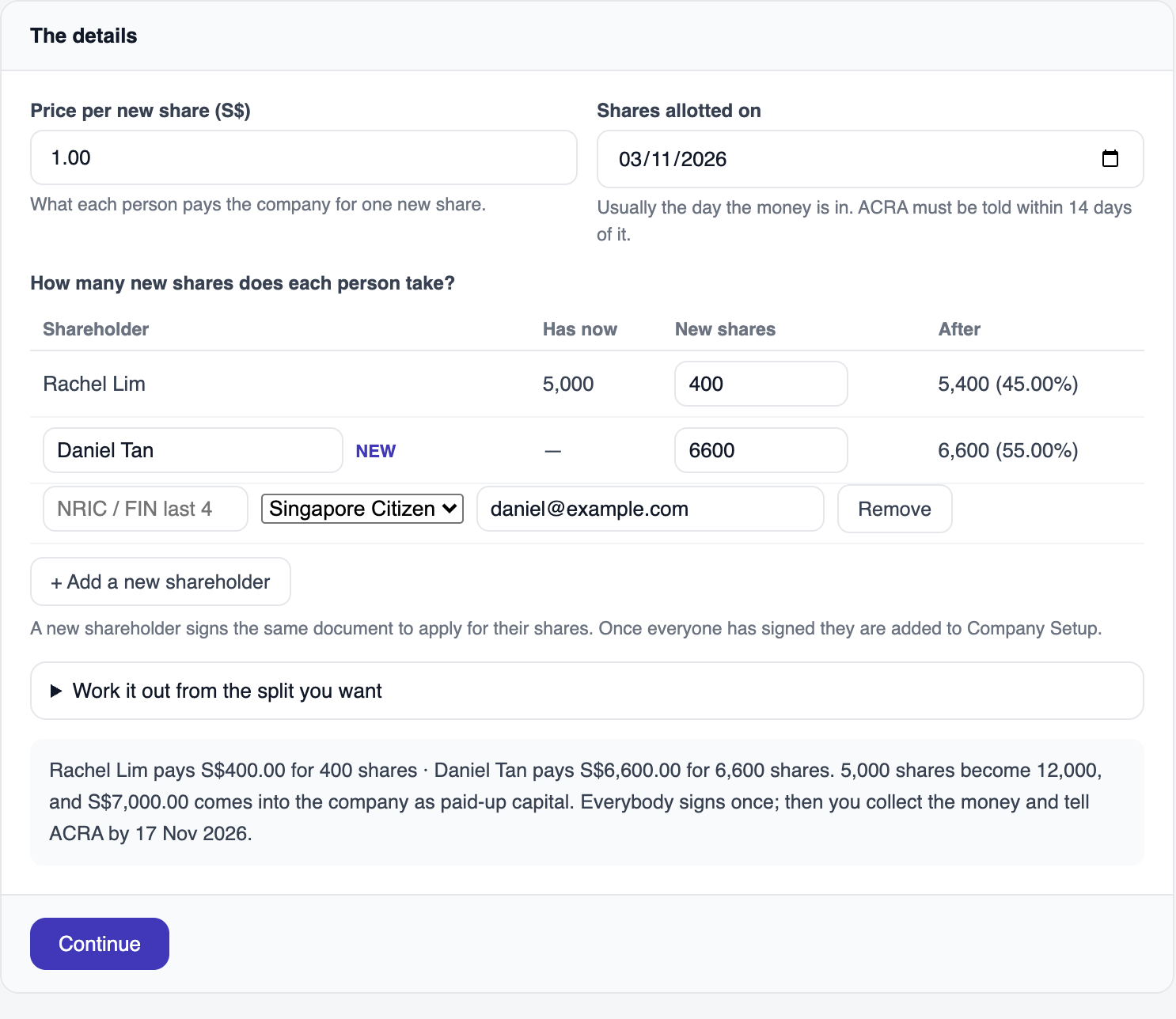
Enter the price, date and new shares. The After column shows the resulting ownership. Open full size -
Type how many New shares each person takes. The After column shows their new total and percentage as you type.
-
Know the split you want but not the numbers? Open Work it out from the split you want, enter the Total shares after the issue (12,000) and each person’s percentage (45 and 55), then press Fill in the new shares.
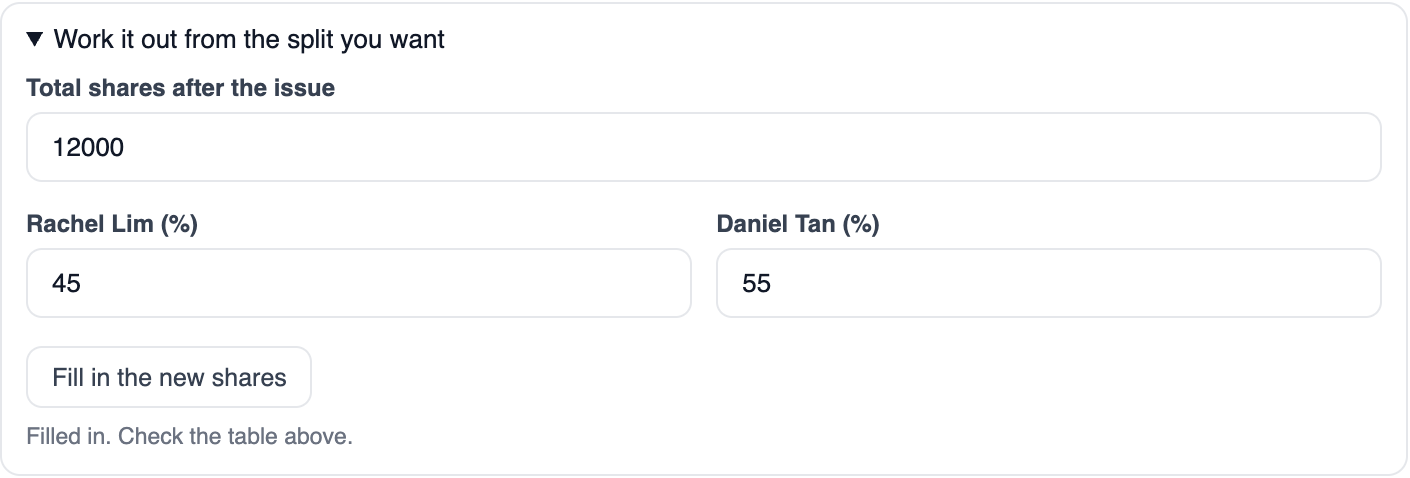
Enter 12,000 total shares and a 45 / 55 split, then press Fill in the new shares. Open full size A split that would need someone to lose shares cannot be made this way, and it tells you so.
-
Read the summary line under the table: who pays what, the shares before and after, and the ACRA date. Then press Continue.
Check and send
-
Read the wording. It has three parts:
- Members’ approval: the shareholders approve the issue, and give up their right to be offered the shares in proportion first.
- Directors’ allotment: who gets how many, the total, and the shareholding afterwards.
- New shareholders: anyone new applies for their shares and agrees to be on the register.
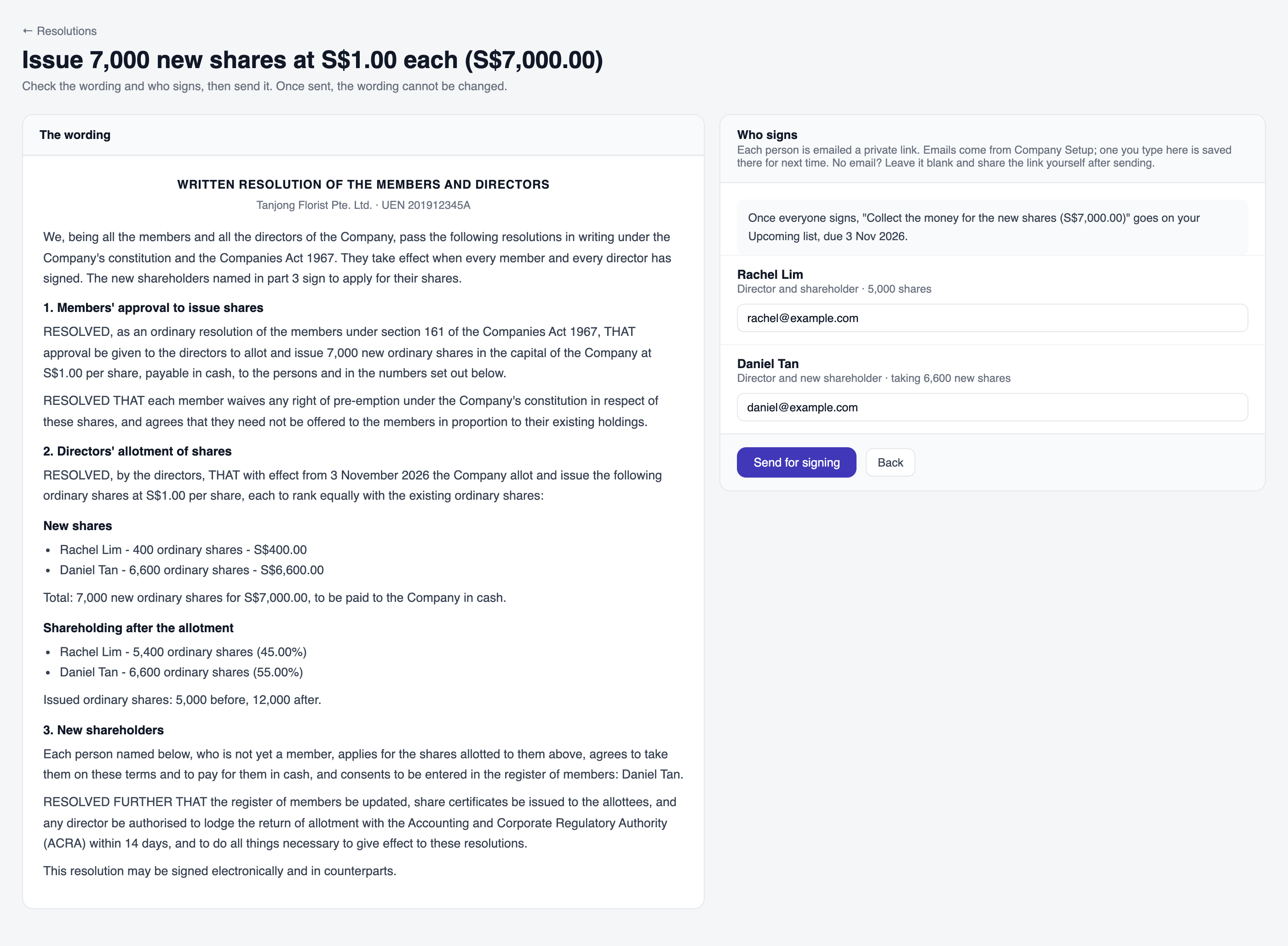
Review the share allocation and signer details before sending. Open full size -
Check who signs. Every director and every shareholder signs, and someone who is both signs once. Check each email, then press Send for signing.
Signing
Each person gets an email and signs on their phone by drawing or typing their name. You can watch it come in, and chase anyone with Email again, Copy link or WhatsApp. How this works is in Resolutions.
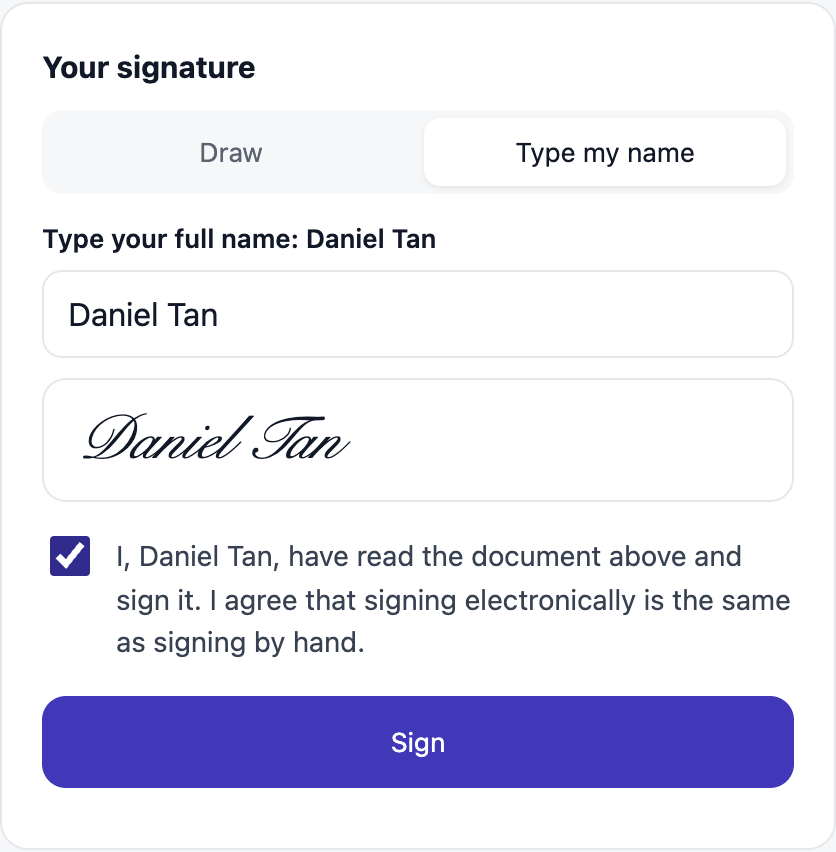
When the last person signs:
- Everyone is emailed the signed copy, and you can download it from the resolution.
- Company Setup updates straight away: Rachel shows 5,400 shares and Daniel is added with 6,600.
- Two jobs go on your Upcoming list: collect the money, and tell ACRA.

Collect the money
Each person pays the company for their new shares, into the company bank account. The resolution page lists who owes what.
-
When it is all in, enter the Received on date, choose Paid into (the company bank account or cash), and press I have received it.
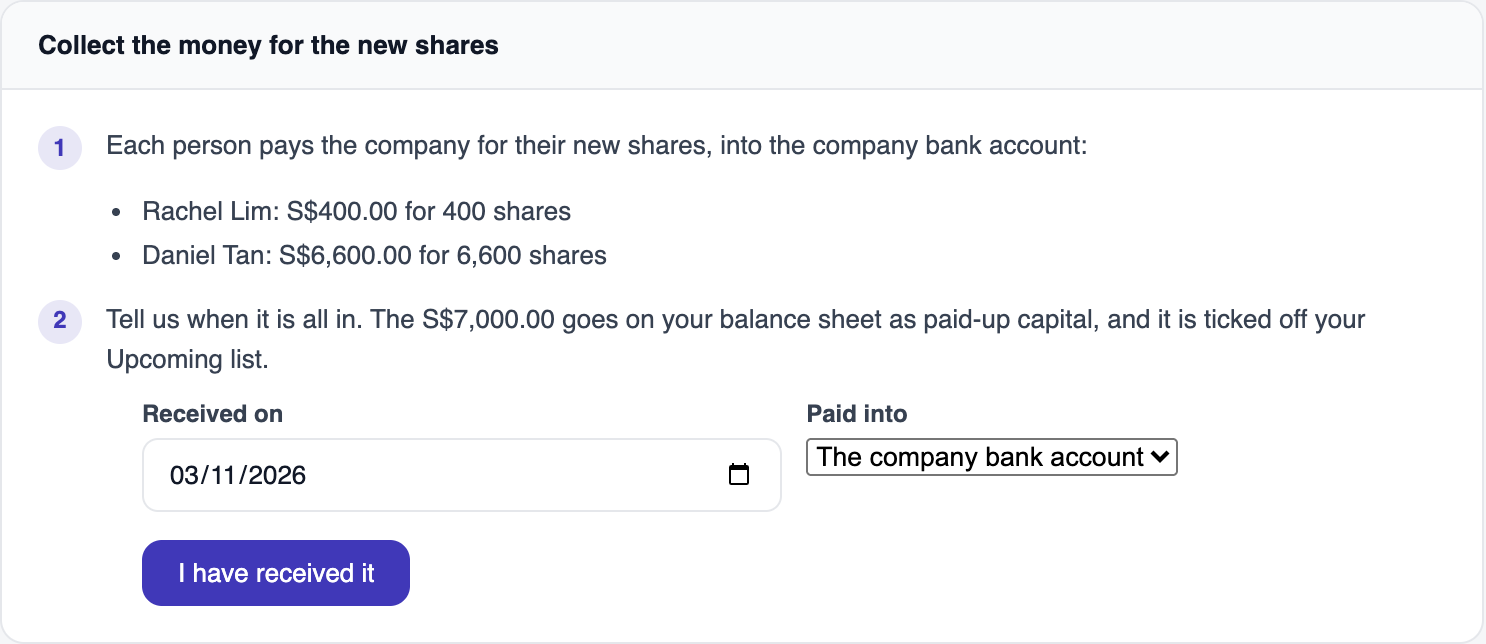
Only after all the money arrives, enter the receipt date and account, then press I have received it. Open full size
The S$7,000 goes onto your balance sheet as paid-up capital. It is not income, so your profit and loss does not change. If you had already recorded the money yourself under Money in or out, you are asked whether it is the same, so it is never counted twice. Pressed it by mistake? Not received yet undoes it.
Tell ACRA
ACRA must be told within 14 days of the allotment date. In the example that is 17 Nov 2026 for shares allotted on 3 Nov. We never file for you.
Log in to BizFile with Singpass.
File an allotment of shares, using the details shown on the resolution page: how many, at what price, on what date, to whom.
Keep the signed copy with your company records.
-
Come back and press I have told ACRA. It comes off your Upcoming list.
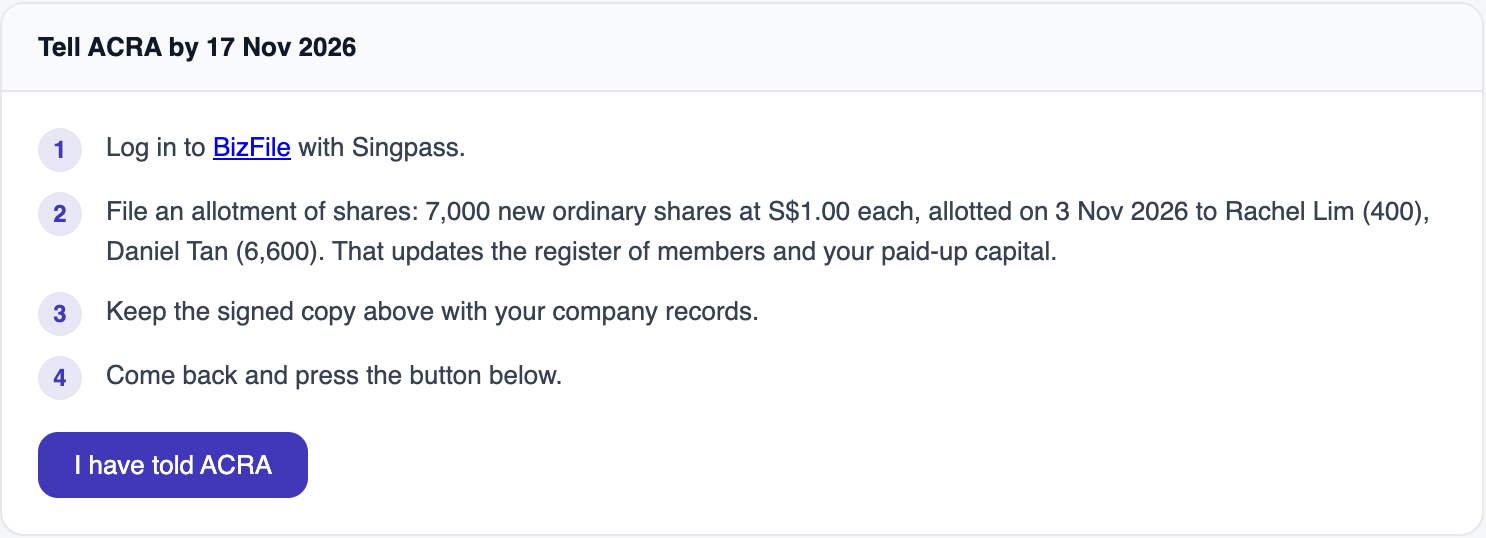
File separately in BizFile using these details. Return here afterwards to mark it done. Open full size
Questions
Do I need to change my constitution?
No. The resolution relies on your existing constitution and the shareholders give up their right to be offered the shares first. This is not legal advice; if your constitution has special rules on issuing shares, check them first.
Why does a director who already holds shares only sign once?
One person, one signature. They sign as both, and the page says so next to their name.
What if someone has not paid yet?
Wait until everyone has paid before pressing I have received it. The job stays on your Upcoming list until then.
Can I issue preference shares?
Not yet. Only ordinary shares. Tell us through Feedback if you need another kind.
Do the share counts in Company Setup change before the money comes in?
Yes. They change when everyone has signed, because that is when the shares are allotted. Collecting the money is a separate step.