PayNow through Aspire
If your business banks with Aspire, every PayNow payment into your Aspire account can confirm itself: the booking, shop order, invoice, pack, term fee or membership joining fee is marked paid for you, with nothing to check by hand. The money goes straight into your own Aspire account. Free on every plan, the Free plan included, with no fee from SME AI Office. Available in Singapore.
Open an Aspire account
Already bank with Aspire? Skip to the next step. If not, open an Aspire business account. The PayNow (via Aspire) box on Payments has the same link.
Connect it
Sign in to Aspire on a computer, in your web browser, at app.aspireapp.com. Aspire's phone app does not have this menu: on the phone, Settings goes straight from Billing to Personal details, and scrolling further will not bring it up. On a computer, an extra block appears after Billing with MCP and Aspire API.
Open Settings, scroll to the bottom and choose Aspire API. If you cannot see it, ask whoever owns your Aspire account for admin access, or to do these steps.
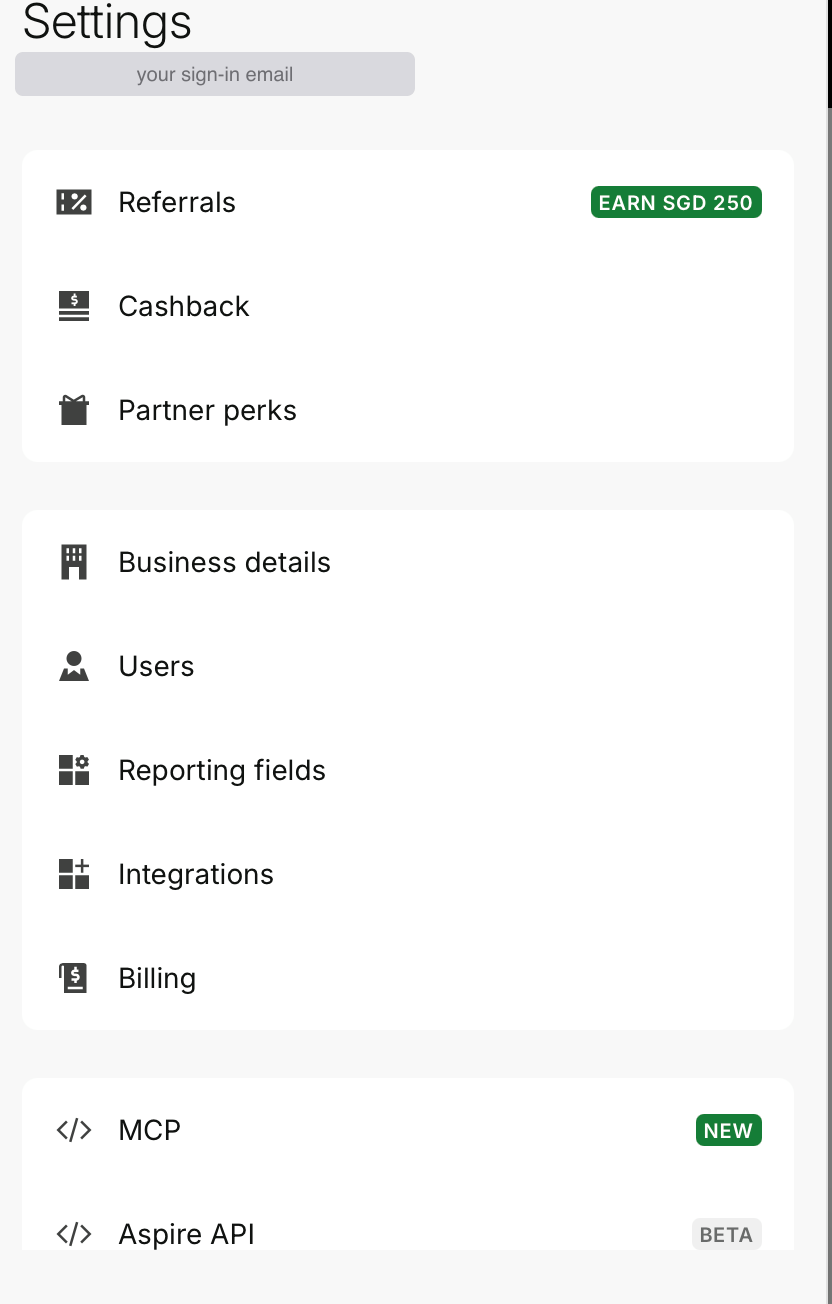
Aspire API is the last line in Settings. Open full size Press New API key, top right.

Any keys you made before are listed here. Open full size Give the key any name, for example
SME AI Office PayNow. Then tick Read next to Transactions only, leave everything else empty, and press Create. A key that can only read cannot move money.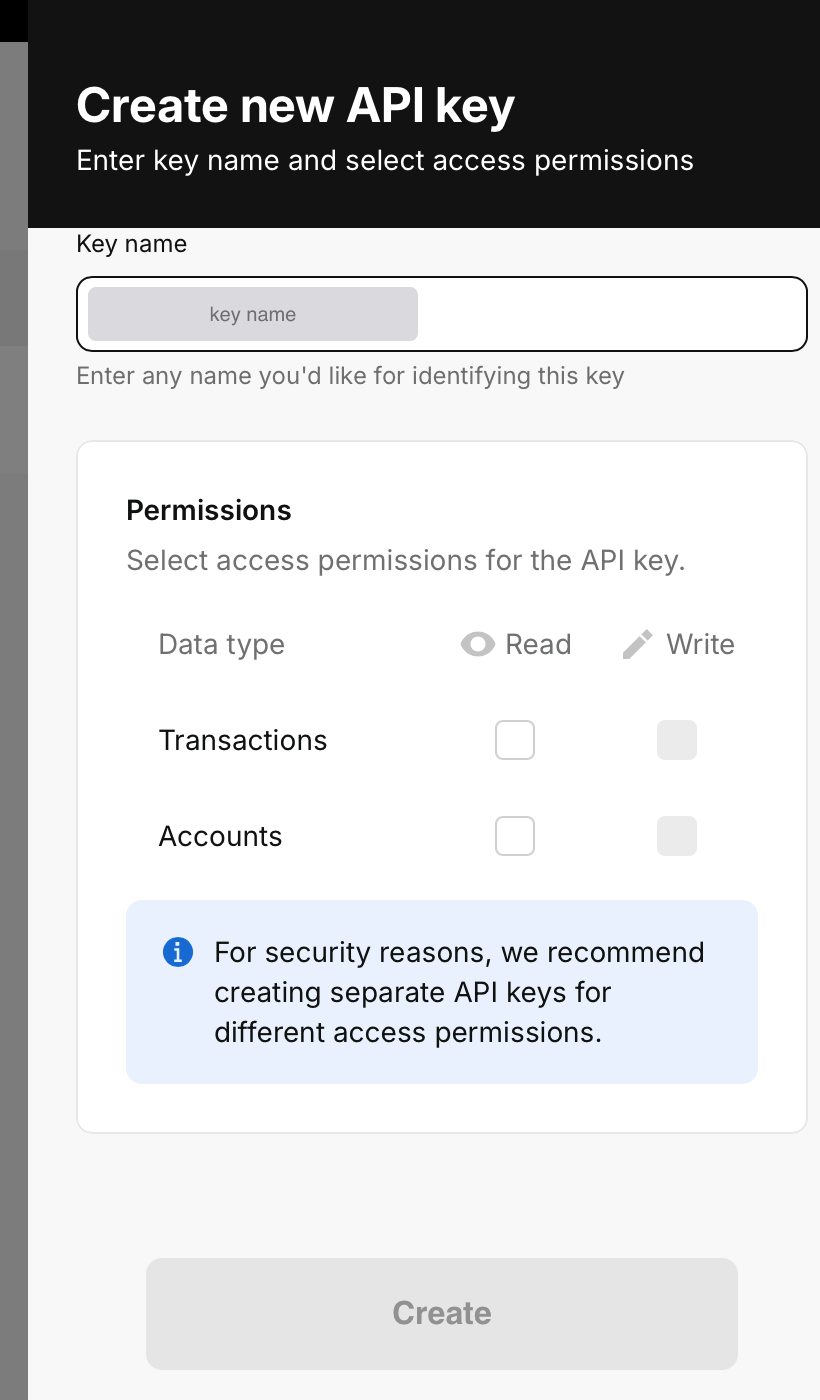
Only Transactions: Read. Accounts is not needed. Open full size Aspire emails you a 4-digit code to check it is really you. Type it in.
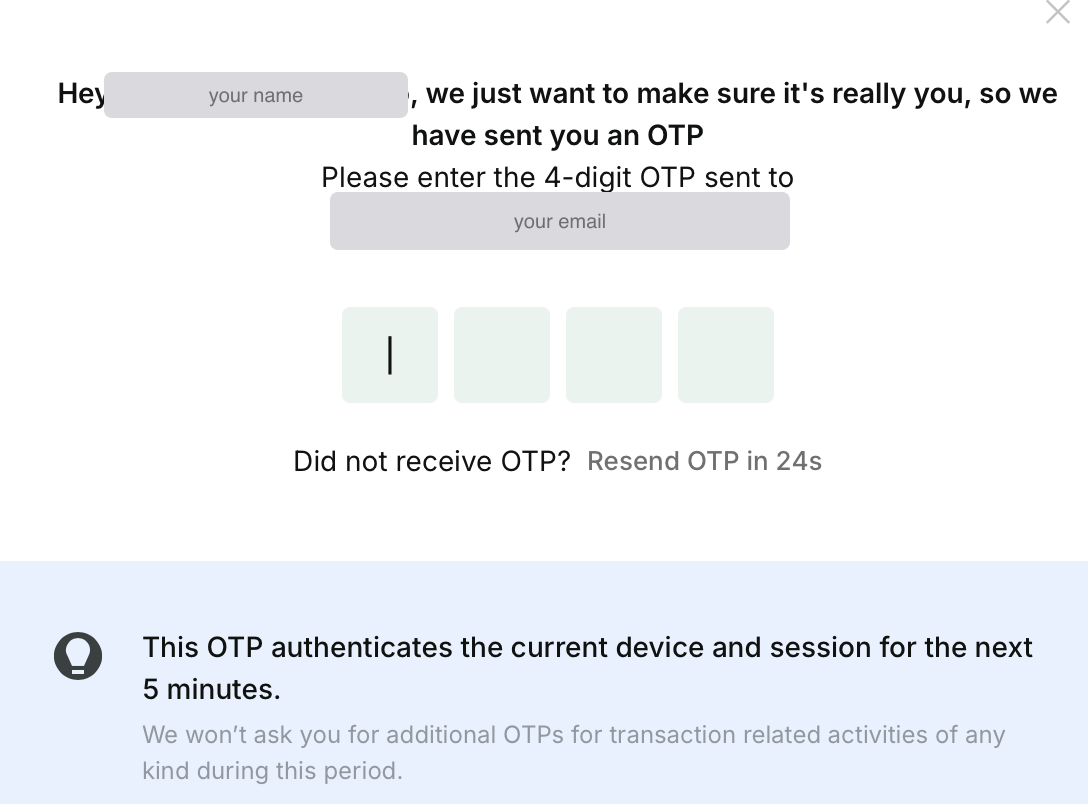
The code goes to the email you sign in to Aspire with. Open full size Copy the API key and the Client ID, using the copy button next to each. Aspire shows the API key once, so copy it before you press Done.
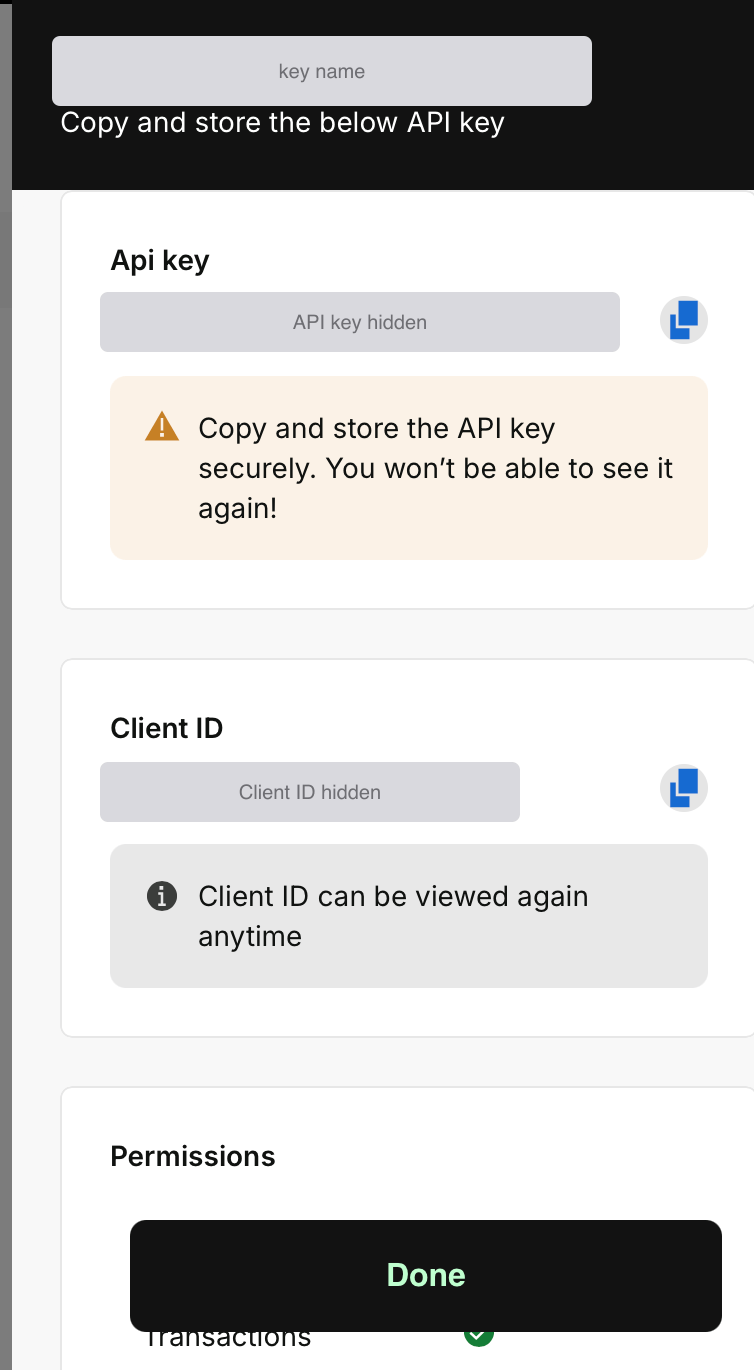
Keep both private, like a password. We hid ours in this picture. Open full size In SME AI Office, open Payments in the sidebar and choose 2. PayNow (via Aspire). Paste both and press Turn on PayNow (via Aspire). We check the key with Aspire straight away. Only the account owner or a co-owner can.
One setting for your whole business. The same box is in Bookings, Shop and Invoice settings: turn it on in one place and it is on everywhere. Its switch on Payments rests it without removing the key.
Your Aspire PayNow VPA
Once connected, type your Aspire PayNow VPA in the box and press Save. It looks like your UEN, then A00, then #XNAP, and it is in the Aspire app under your account details. While PayNow (via Aspire) is on, every customer PayNow QR uses this number, so the money lands in Aspire and confirms itself. Your own PayNow number is kept for when you switch it off.
What your customer sees
Just PayNow, on the same pay screen as always. They scan the QR in DBS, POSB, PayLah!, UOB, Citibank or most other Singapore banking apps, and can still tap I have paid. A payment counts when its reference and exact amount match; anything that does not match, you confirm yourself as before. A booking or shop order waiting for payment is checked every few minutes; an unpaid invoice 4 times a day, and every few seconds for a few minutes after your customer taps I have paid.
Questions
Does it cost anything?
Not from SME AI Office. PayNow (via Aspire) is free on every plan, the Free plan included, with no fee per payment. That may change if PayNow or the bank changes its own rules or fees; we will tell you before anything changes.
Can SME AI Office move my money?
No. The key can only read your transactions. It is stored encrypted, never shown again, and used for one thing: checking whether a payment has arrived.
What if it stops working?
It depends on Aspire’s connection, which SME AI Office does not control. If Aspire changes or stops it, payments are not lost: you confirm them yourself, as before, until it is fixed.
I do not bank with Aspire.
Your PayNow QR still works, free, and you confirm each payment yourself. Or connect HitPay for card and PayNow that confirms itself.