Submit CPF
Every month’s finalised payroll becomes a CPF EZPay file. Upload it and CPF fills in every employee for you. It is due by the 14th of the following month.
Screenshots use a fictional business and staff. Select an image to view it full size.
Download the file
Finalise the month first (how). Drafts are left out.
-
Go to Payroll, then CPF, and pick the Payroll month. The red tag shows when it is due.
Every employee needs their full NRIC or FIN. If one is missing, type it into the box for that person and it is saved to their record.
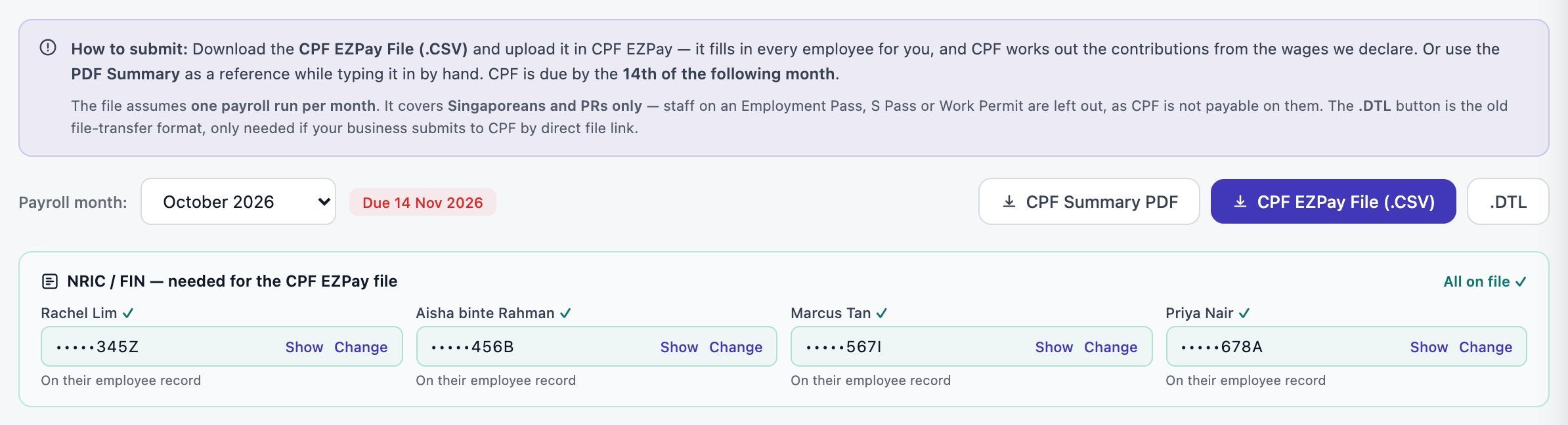
All NRICs are on file, so the CPF EZPay File (.CSV) button is ready. Open full size -
Check the totals, then press CPF EZPay File (.CSV).
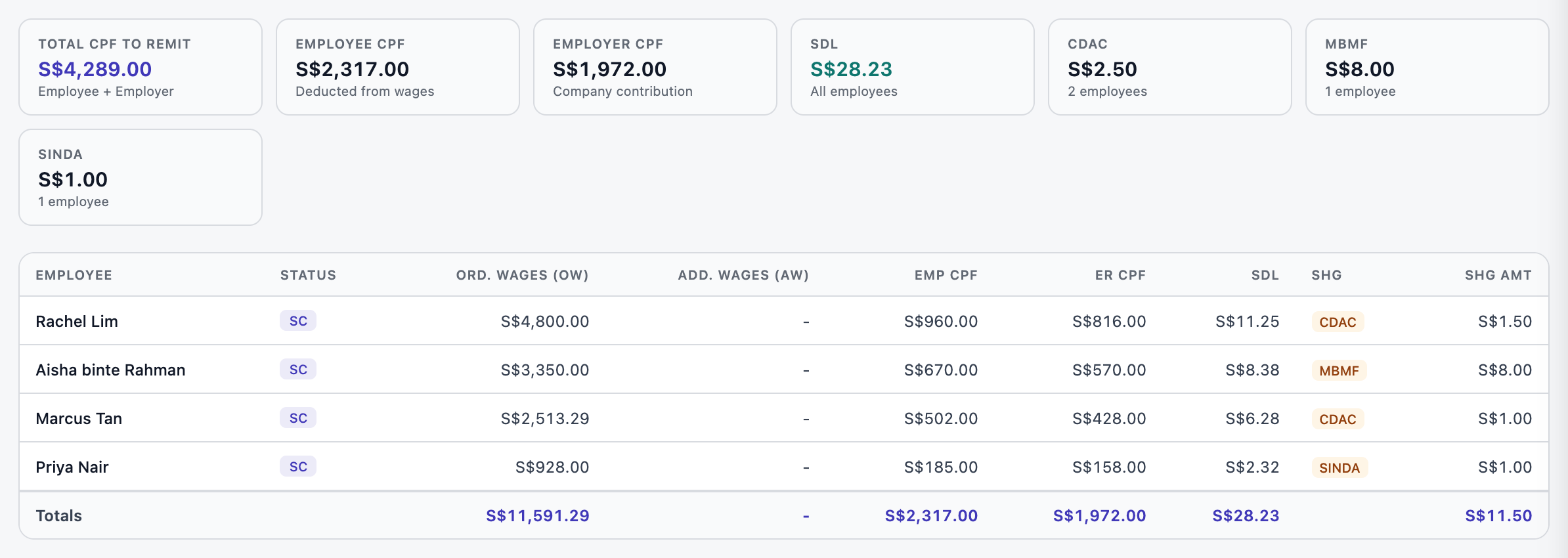
What you will pay CPF Board, and each person’s share. Open full size
Upload it to CPF EZPay
Log in to CPF EZPay with Singpass and choose to upload a file.
Upload the .CSV. CPF fills in each employee and works out the contributions from the wages in the file, so the totals should match the page. SDL and the self-help funds go in the same submission.
Pay and submit before the 14th.
Would rather type it in? CPF Summary PDF has every figure to copy across.
Questions
What about my foreign staff?
No CPF is payable for staff on an Employment Pass, S Pass or Work Permit, so the file covers Singaporeans and PRs only.
What is the .DTL button?
An older file format, only for businesses that send files to CPF by a direct link. Most people use the .CSV.
Does SME AI Office submit to CPF for me?
No. We prepare the file; you upload and pay it on CPF EZPay.