Run payroll each month
Each person gets a card with their pay worked out. Check it, add anything that is different this month, and finalise. Finalising makes the payslip.
Screenshots use a fictional business and staff. Select an image to view it full size.
Open the month
-
Go to Payroll, then Run Payroll, and check the Payroll month. Up to the 15th it opens on last month; after that, on this month.
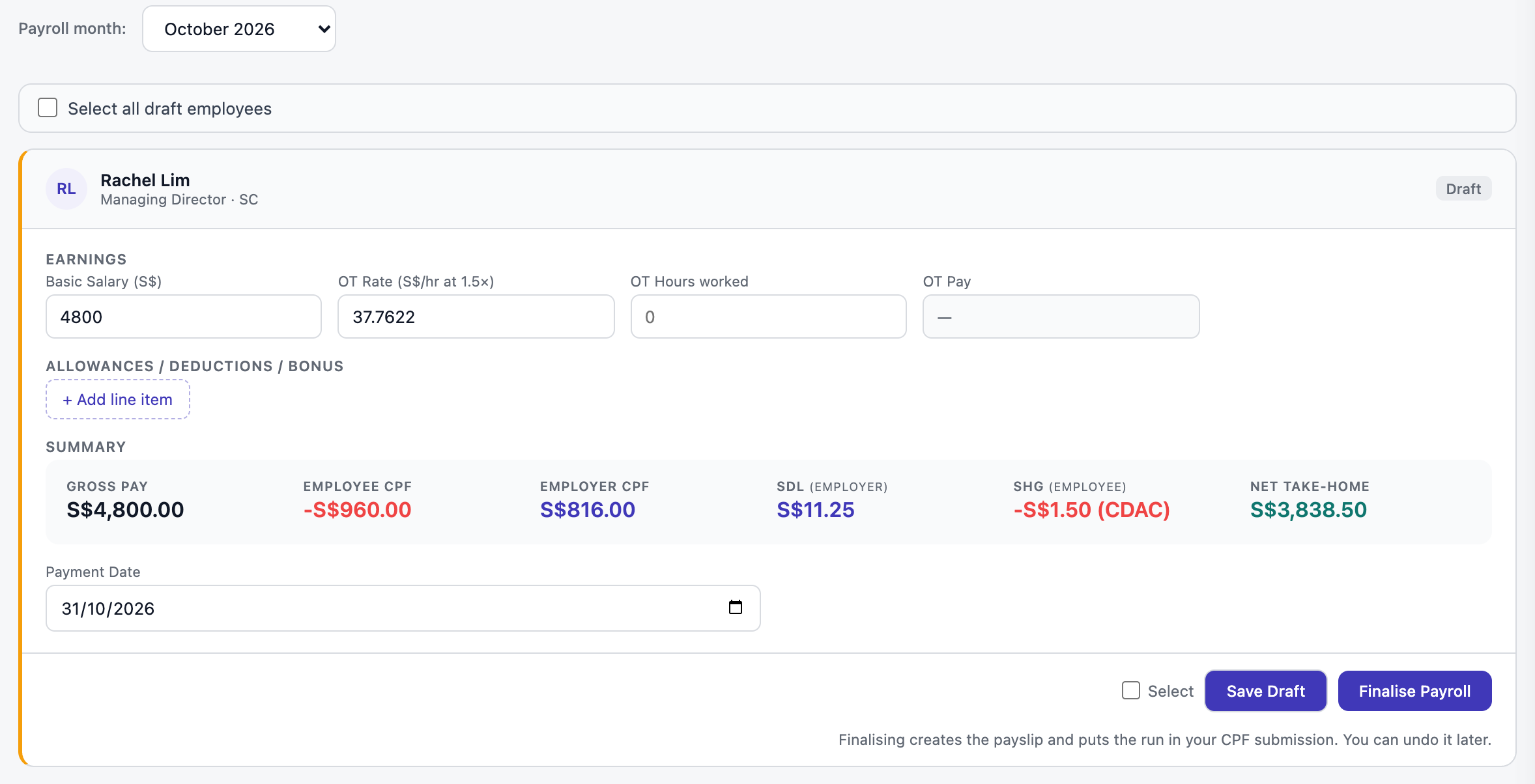
Each card works out CPF, SDL, the self-help fund and take-home pay as you type. Open full size
Check each person
The Summary row on each card is what matters: gross pay, the employee’s CPF (taken off their pay), the employer’s CPF and SDL (paid by you on top), their self-help fund, and their take-home pay.
A fixed allowance
Allowances you set on the employee are filled in every month. They count as ordinary wages for CPF.
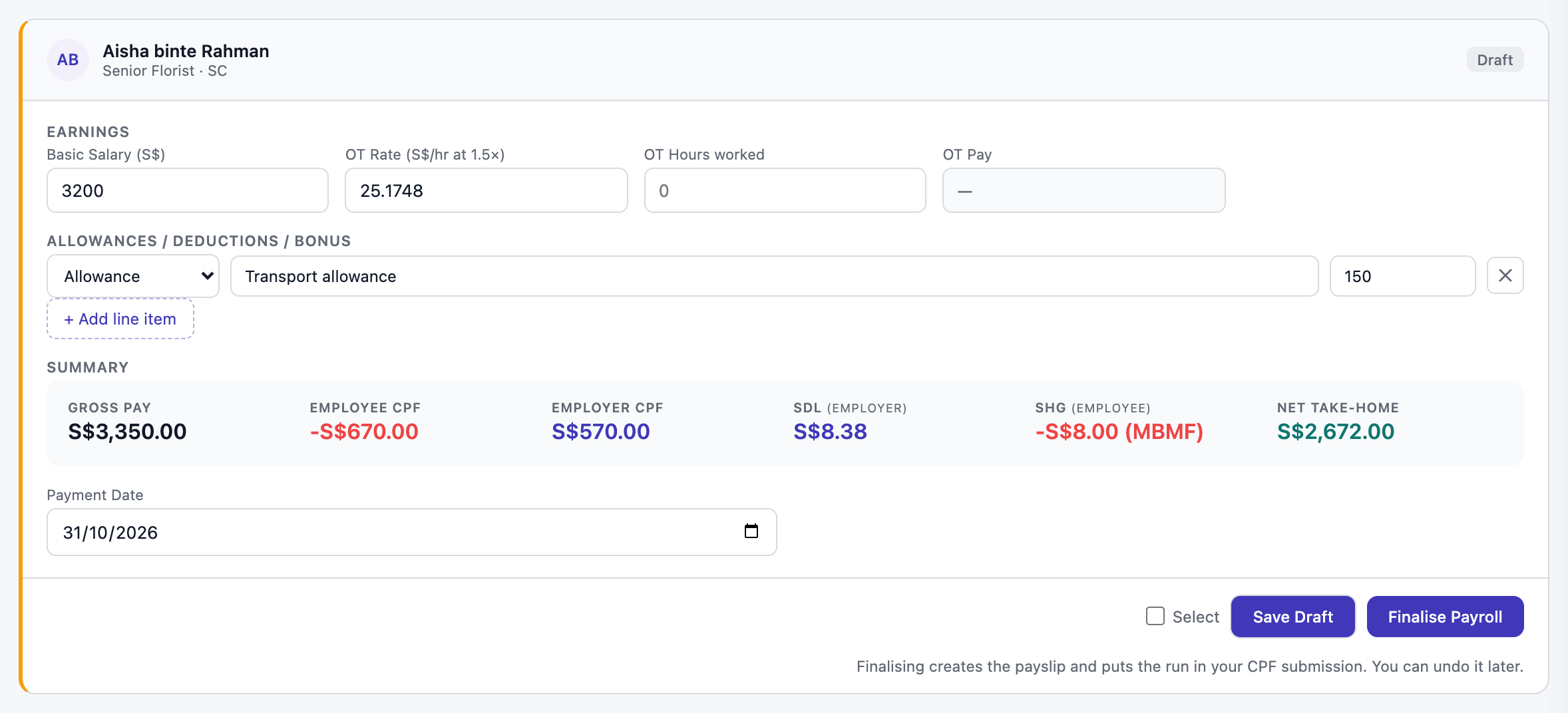
Overtime
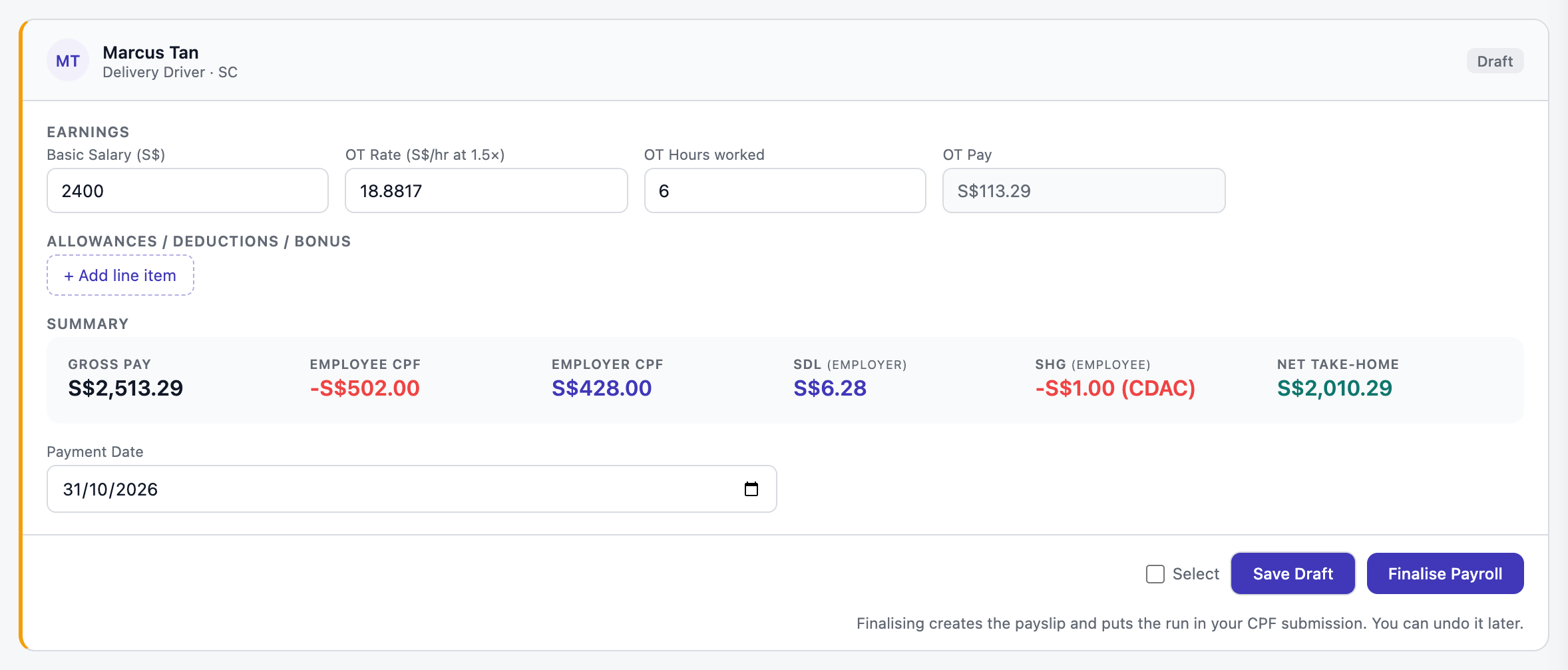
Type the OT Hours worked. The rate is filled in at 1.5 times their hourly basic pay, and you can change it.
Part-timers
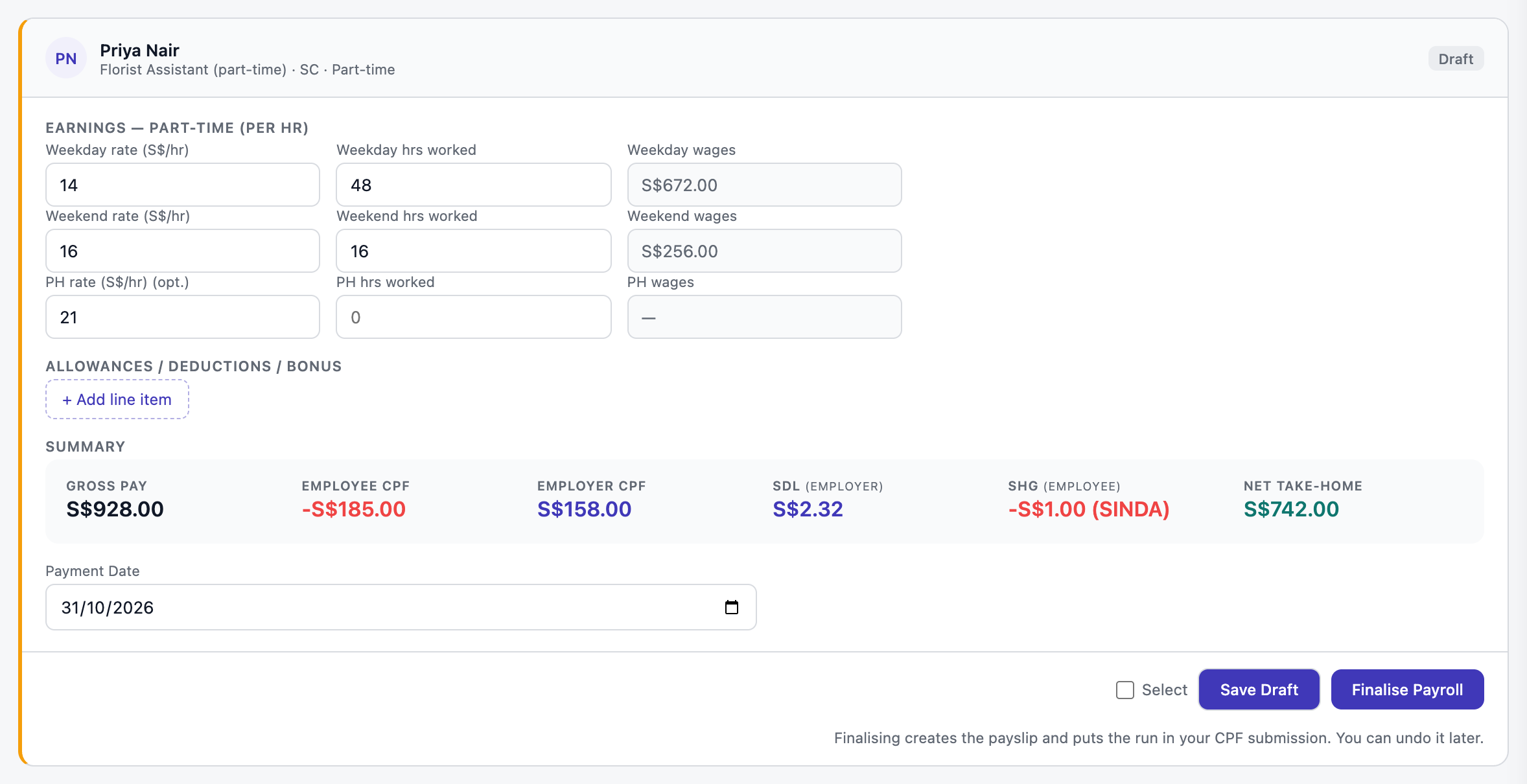
Type the hours (or days) they worked on weekdays, weekends and public holidays. Their rates come from their employee record.
Anything else this month
Press + Add line item for a bonus, a deduction (such as unpaid leave), another payment, or a reimbursement. A bonus is additional wages for CPF; a reimbursement adds to take-home pay with no CPF. Approved expense claims and unpaid leave from HR are filled in for you.
Press Save Draft to keep your changes without finishing.
Finalise
When a card is right, press Finalise Payroll. To do everyone at once, tick Select all draft employees and press Finalise Selected.
-
Finalising makes the payslip, puts the month into your CPF submission and bank file, and posts the salary and employer CPF to your P&L.
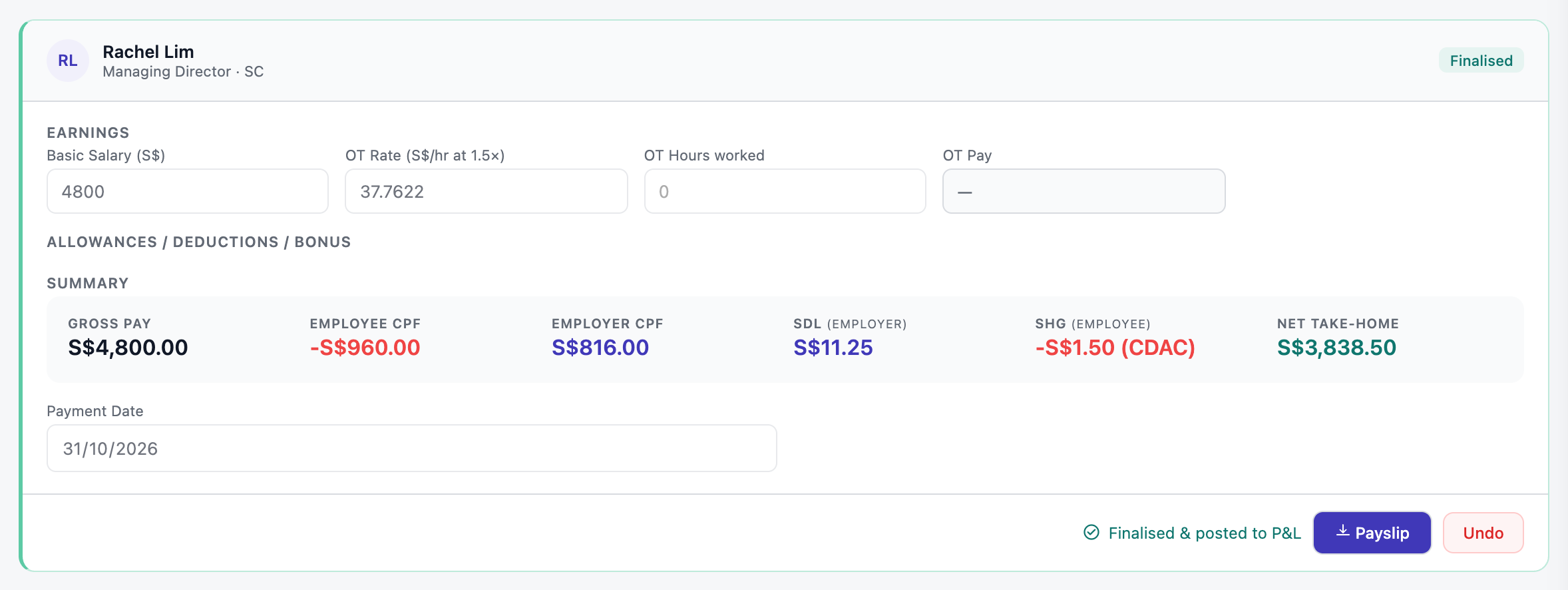
Finalised. Download the payslip here, or press Undo to change something. Open full size
A draft is not finished. It is not in your CPF submission, your bank file or your P&L until you finalise it. Made a mistake after finalising? Press Undo, fix it and finalise again.
Send the payslips
-
Go to the History tab. Under Email payslips, pick the month and press Email all. Each person gets their own payslip as a PDF.
The Emailed column shows who got it and when. Buttons to email only the ones not sent yet, or to retry any that failed, appear when you need them.
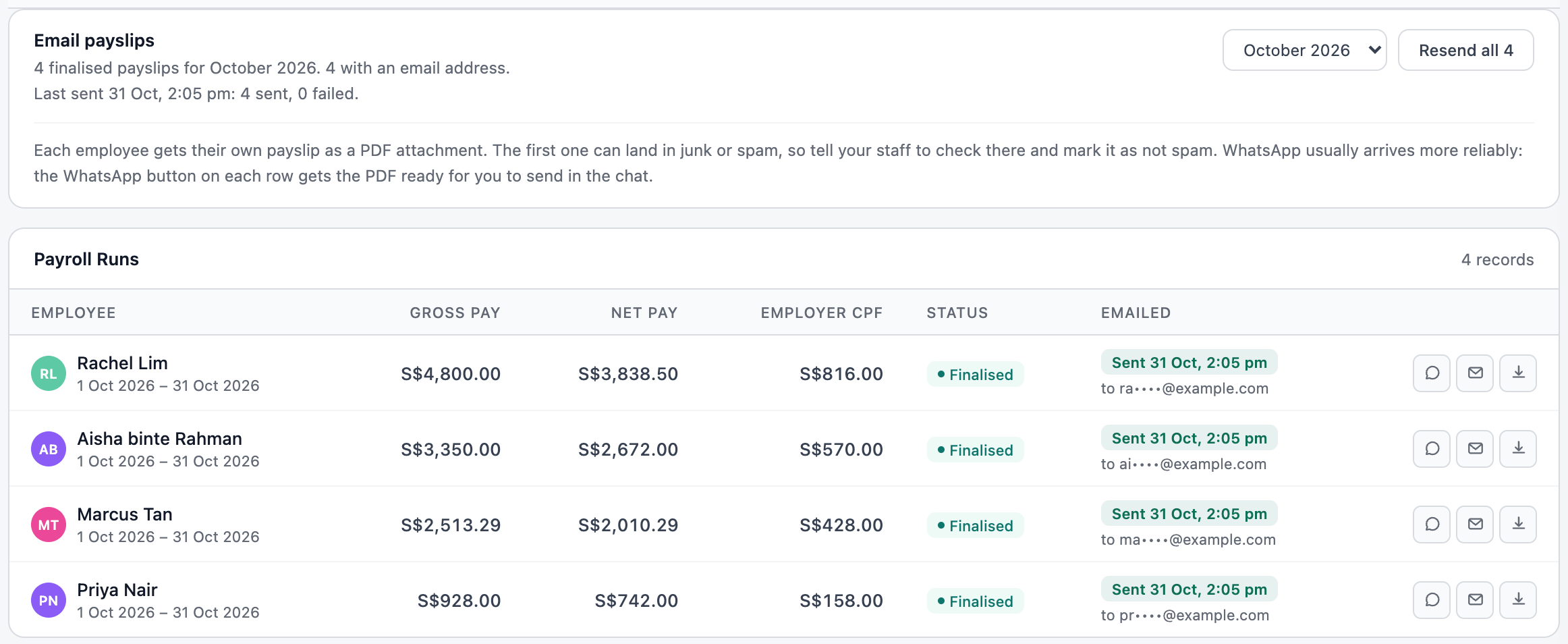
All four payslips emailed. The buttons on each row are WhatsApp, email and download. Open full size Prefer WhatsApp? Press the chat button on a row. On a phone the PDF goes straight into the share sheet; on a computer it downloads and opens the chat for you to attach it.
Tell your staff to check junk mail for the first one. Everyone with a staff portal login can also see their payslips there.
Questions
Why is CPF not exactly 20% and 17%?
CPF Board rounds the total to the nearest dollar and the employee’s share down to the dollar; the employer pays the rest. The rates also change with age, PR year and the monthly wage ceiling. It is all worked out for you.
What is SDL?
The Skills Development Levy: 0.25% of wages, at least S$2 and at most S$11.25 per person a month. You pay it, not the employee, with your CPF.
Can I run payroll twice in one month?
Each person has one payroll run per month. For something extra, add a line item to that month and finalise again.
Next: Pay everyone in one go · Submit CPF · ← Payroll