Help/Accounting/Expenses and revenue
Check expenses and revenue
Every receipt you scan lands in Expenses or Revenue. Look through them now and then, and fix anything that was filed in the wrong place. Your P&L, balance sheet and GST F5 update by themselves.
Screenshots use a fictional business and figures. Select an image to view it full size.
The list
-
Go to Expenses. It opens on Year to Date; press that button to pick another period, such as Last Month or Last FY.

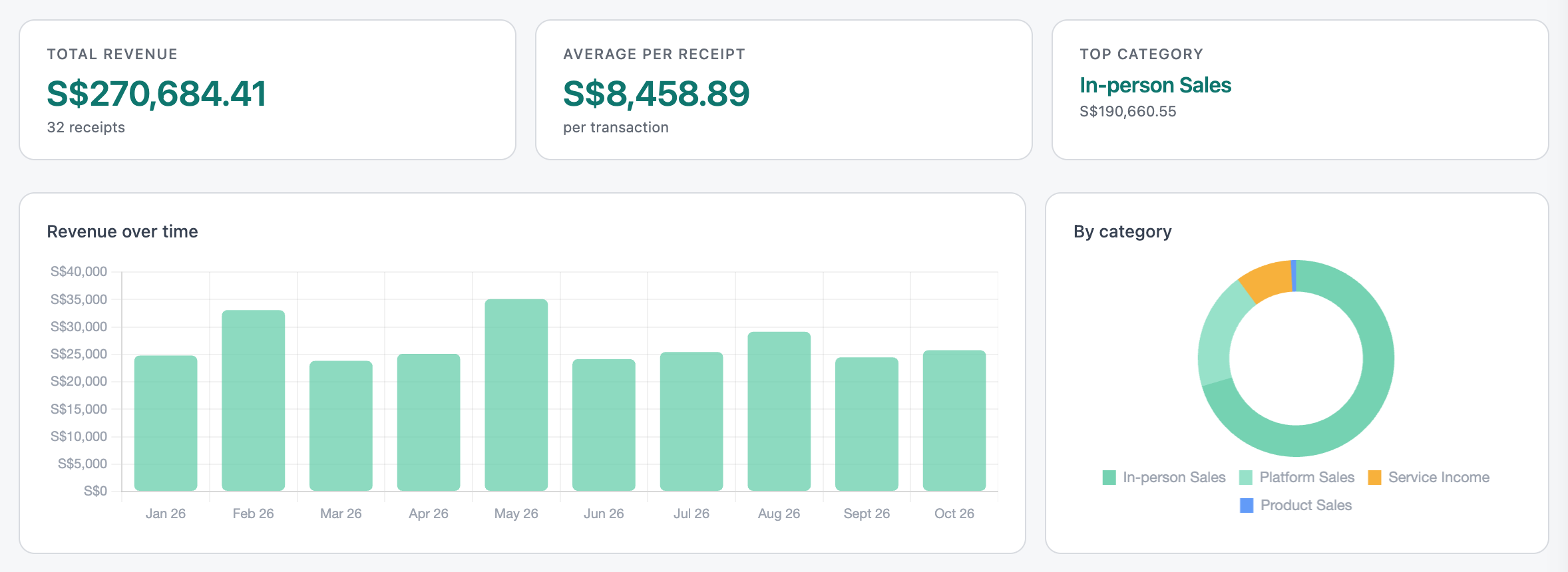
The totals for the period you picked. Open full size -
Below the charts is every receipt, newest first, grouped by month. Payroll and depreciation appear as one line a month; press it to see who or what is inside.
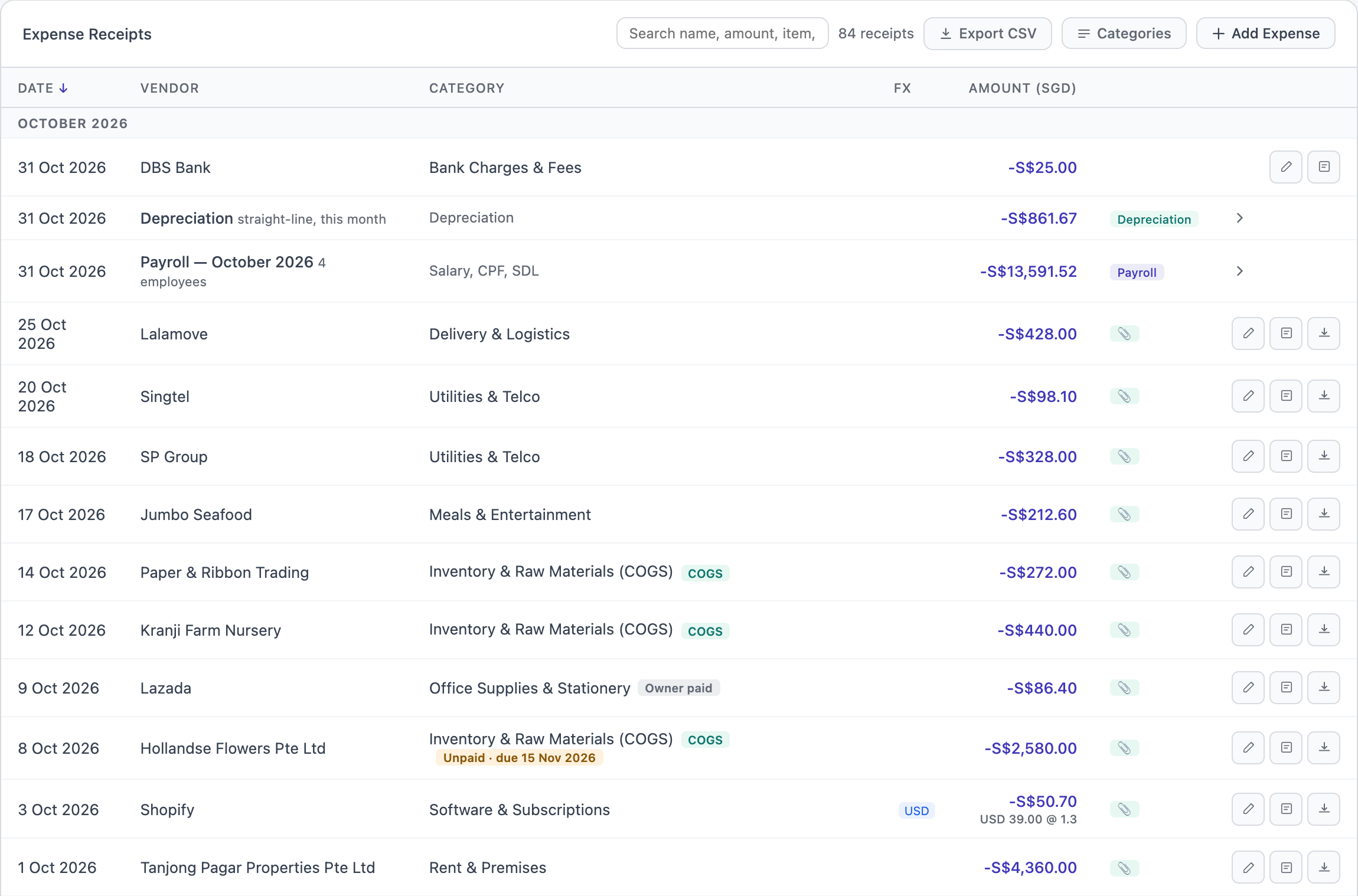
October’s expenses. Tags show a bill not paid yet, something the owner paid for, and a receipt in US dollars. Open full size Type in the search box to find a receipt by shop, amount, an item on it, or date. A search only looks inside the period you picked; the line under the box offers to search all dates.
-
Press a receipt to see its line items. If you are GST-registered, the line items show the amount before GST.

One receipt, three line items. Open full size
Anything the scanner was not sure about, such as a missing date or a possible duplicate, is listed under Needs Attention at the top, with buttons to fix it.
Fix a receipt
Press the pencil on the row. The date, shop, category and amount become boxes you can change. A receipt with several line items is changed line by line underneath.
-
Make your changes, then press Review & Save in the bar at the bottom of the page.
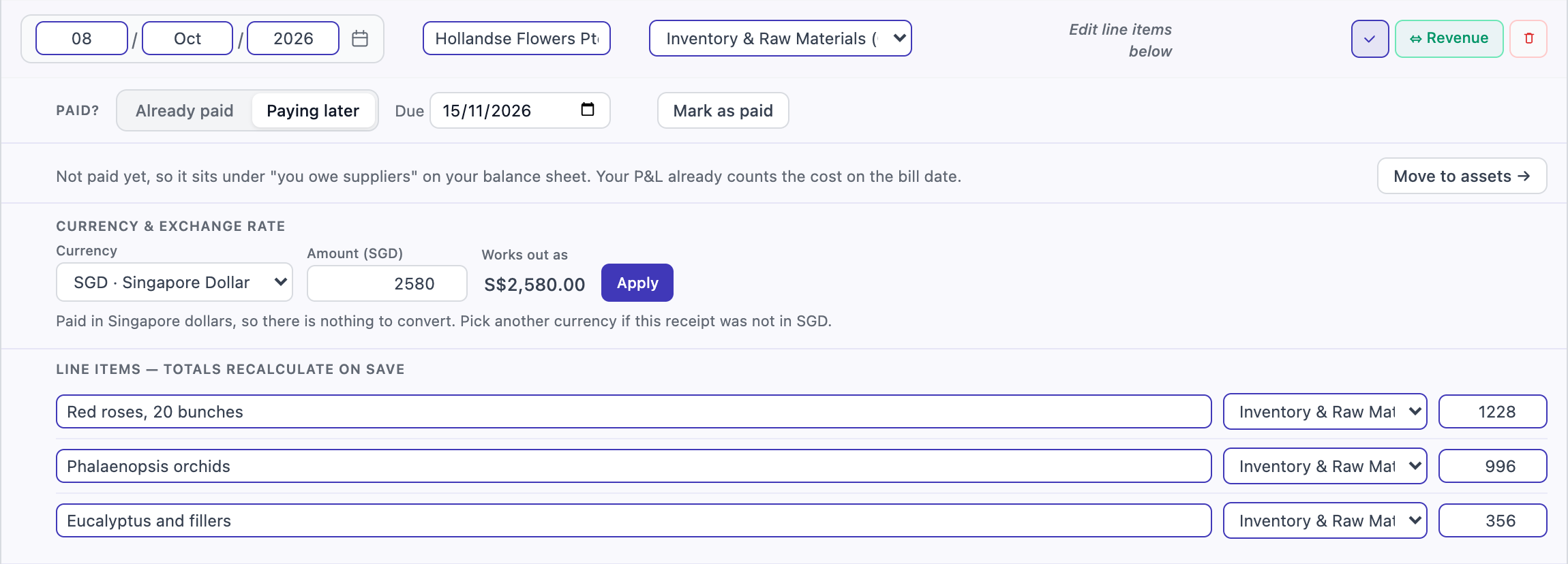
Everything about one receipt, in one place. Open full size If you change a category, SME AI Office may ask Always file this shop the same way. Press Yes, remember and the scanner leans that way next time. It never learns on its own.
Other buttons on a receipt you are editing:
- ⇔ Revenue moves it to Revenue, if it was money coming in.
- The currency box: if a receipt was really in US dollars or ringgit, pick the currency, check the rate and press Apply.
- Move to assets is for equipment that lasts for years. See Equipment and depreciation.
How it was paid
Most receipts are paid from the business bank account, and that is what SME AI Office assumes. If not, open the receipt and change Paid from to Cash or Owner’s own money. Your balance sheet then takes it out of the right place; your P&L does not change.
For a bill you have not paid yet, choose Paying later and set the due date. When the money goes, press Mark as paid and say the date and where it was paid from.
Revenue
The Revenue tab works the same way, for money coming in: sales summaries, payment reports and anything you add with Add Revenue. Paid invoices, bookings and online shop orders appear here by themselves.
Your own categories
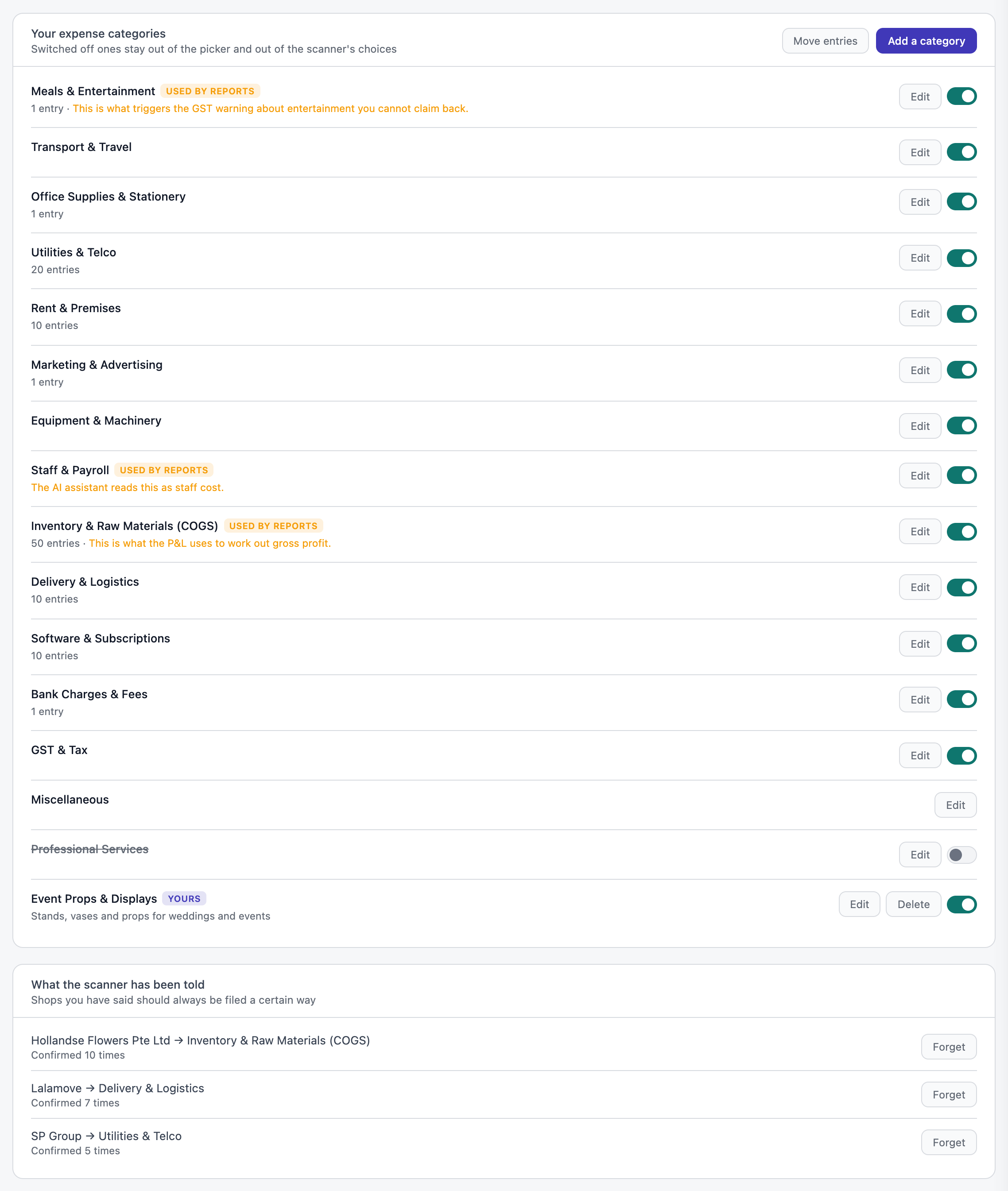
Press Categories on either list, or go to P&L Settings in the sidebar.
- Add a category for something the standard list does not have. Give it a short description, so the scanner knows what belongs in it.
- Switch off categories you never use. They drop out of the lists and out of the scanner’s choices, which makes its guesses better.
- Edit renames a category. What your reports count is unchanged.
- Move entries moves receipts from one category to another in one go.
- Under What the scanner has been told are the shops you asked it to remember. Forget removes one.
Exchange rates
Receipts in another currency are converted at the rates at the bottom of P&L Settings. Change a rate and press Save rates. Back to defaults goes back to SME AI Office’s rates.
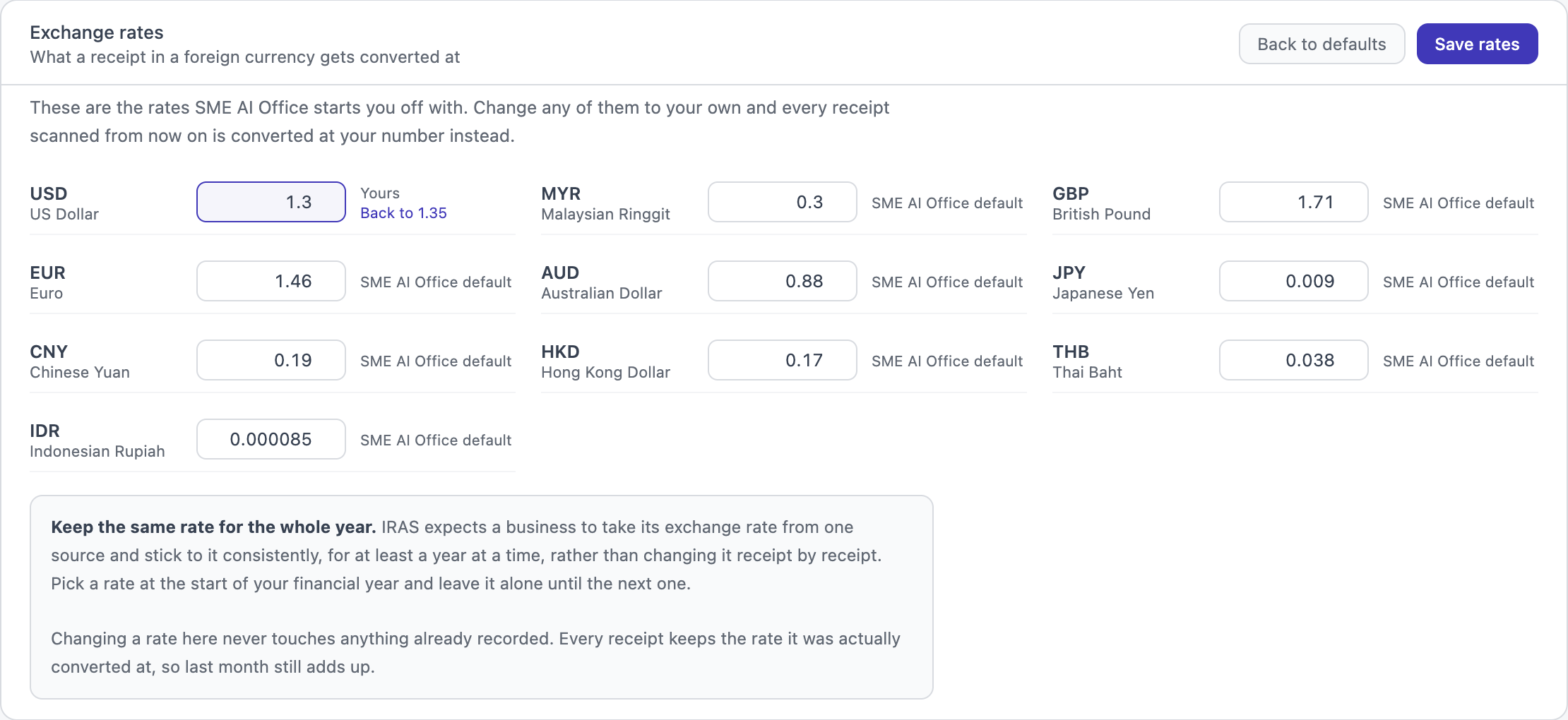
A new rate only applies to receipts scanned after you save it. Everything already recorded keeps the rate it was converted at.
Questions
What is COGS?
Cost of goods sold: what you paid for the things you sell, such as fresh flowers for a florist. It is kept apart so your P&L can show your gross profit.
Can I delete a receipt?
Yes, press the pencil and then the bin. It comes out of every report. If it was a duplicate, use the buttons under Needs Attention instead, which keep the right copy.
Can I download the list?
Press Export CSV. You get exactly the rows on screen, for the period and search you picked.
Next: Profit and loss · ← Accounting