Help/Payroll/Pay everyone in one go
Pay everyone in one go
Instead of transferring salaries one by one, download one file and upload it to your bank. It works with DBS IDEAL today, and pays each person into their bank account or by PayNow.
Screenshots use a fictional business and staff. Select an image to view it full size.
Before the first time
- Fill in the account you pay from, with your DBS Organisation ID (how).
- For each person, choose how they are paid: a bank and account number, or PayNow to their mobile or NRIC (how). PayNow needs no bank details, but they must have registered that number with PayNow.
Download the file
Finalise the month’s payroll (how). Drafts are left out.
-
Go to Payroll, then Bank File. Choose the Salary month and the Pay on date (it starts on the payment date you set), and check the total. Then press Download file.
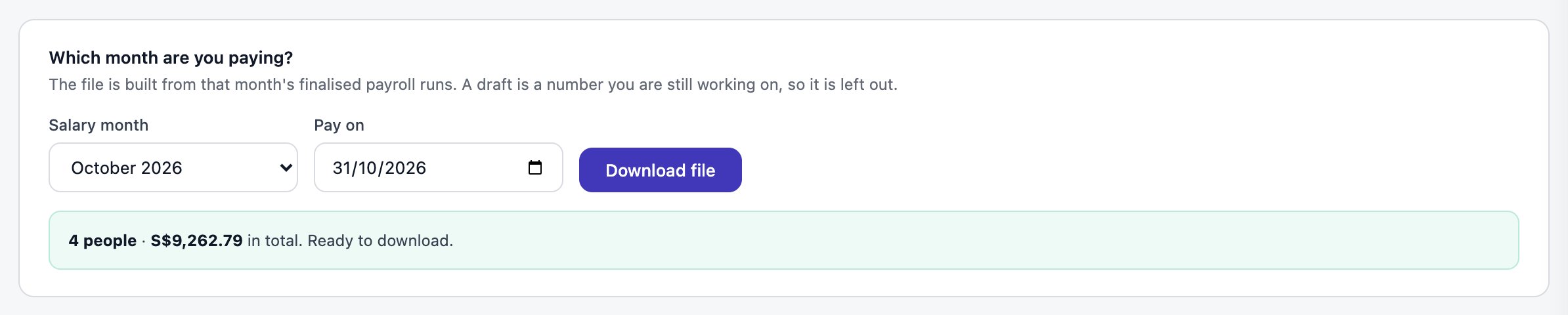
The total is everyone’s take-home pay for the month. Open full size
If someone is missing something, the page names them and what to fix before you can download.
Upload it to DBS IDEAL
The steps are on the page too:
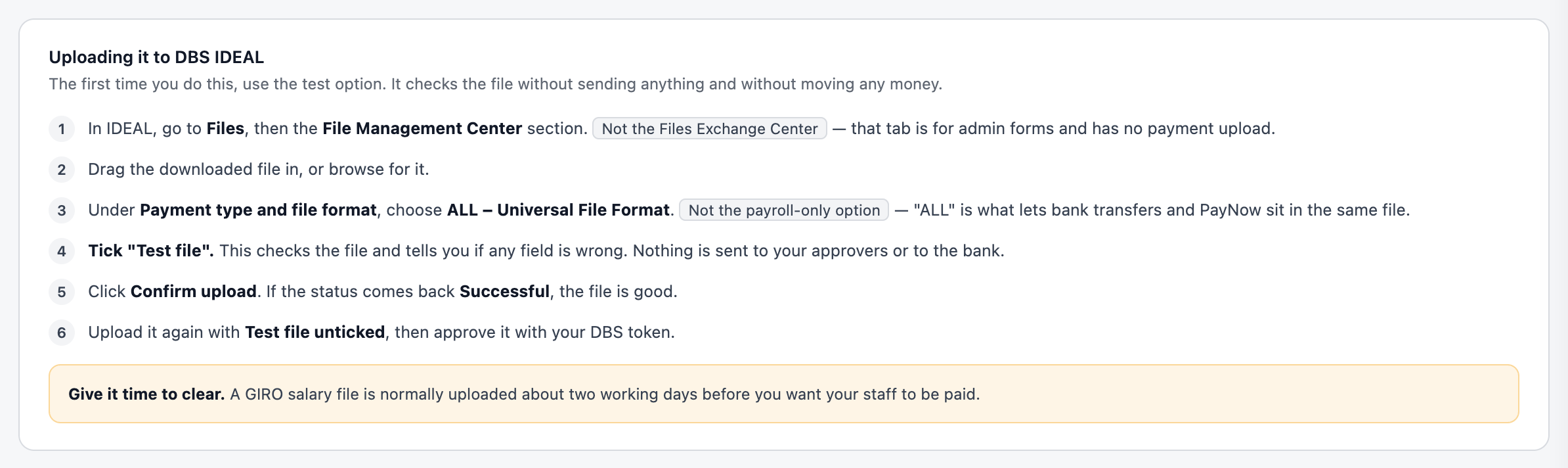
Upload it about two working days before pay day, so GIRO has time to clear.
Questions
My bank is not DBS.
Every bank has its own file format, and DBS is the one built so far. Pay by transfer from the payslip figures for now, and tell us through Feedback which bank you use.
Can one file pay some people by PayNow and others to a bank account?
Yes. That is why you choose ALL – Universal File Format when uploading.