Free to start. No cut of what you are paid.Start free

Fitness Studio

Sell the pack.
They book the class.

Put your week of classes on a timetable, sell class packs and monthly passes, and let customers book one class at a time from their phone. Every class they take is counted off for you.

From one instructor to a studio with several rooms: fitness, yoga, pilates, dance and martial arts. Free for up to 15 sales a month. Pro 365 from HK$59 a month.1

A boutique fitness studio cutaway with reception, yoga and pilates rooms, changing area and an office, linked by gold lines.

BooksPrepaid classes and earned income

ClassesTimetable, rooms and instructors

Check-inAttendance and pack balances

Packs & passesSell once; book class by class

BookingsYour customer booking page

TeamInstructor logins and registers

  1. BooksPrepaid classes and earned income
  2. ClassesTimetable, rooms and instructors
  3. Check-inAttendance and pack balances
  4. Packs & passesSell once; book class by class
  5. BookingsYour customer booking page
  6. TeamInstructor logins and registers
One studio, connected. Customers book, attendance updates class balances, and the accounts keep up. Illustrative setting; the product screens below show the workflow.

What you get

Three layers.
One system.

What your customers see, what you run the studio on, and the paperwork behind it. Most studios buy these from three different places. Here they are one. Click the website to open it.

1 · For your customers

Your website

Where customers see your classes and coaches, buy a pack or a pass by FPS, book a class and cancel from their phone.

  • Your classes, coaches and prices
  • The timetable, booked in a tap
  • Packs and passes paid by FPS
  • Their own classes and what is left
2 · For you and your instructors

Your studio

Where you run the week. Every booking, pack and payment lands here, and so does who turned up.

  • The timetable, rooms and instructors
  • Packs, passes and the waitlist
  • Today and the register
  • Check-in by QR at the door
3 · Runs by itself

Your back office

The boring part. Every sale and every payment you mark received lands in your profit and loss on its own, so the numbers are ready when you need them.

  • Reporting: your profit and loss
  • Every sale goes in by itself
  • Packs paid in advance, counted as they are used
  • Export whenever you like
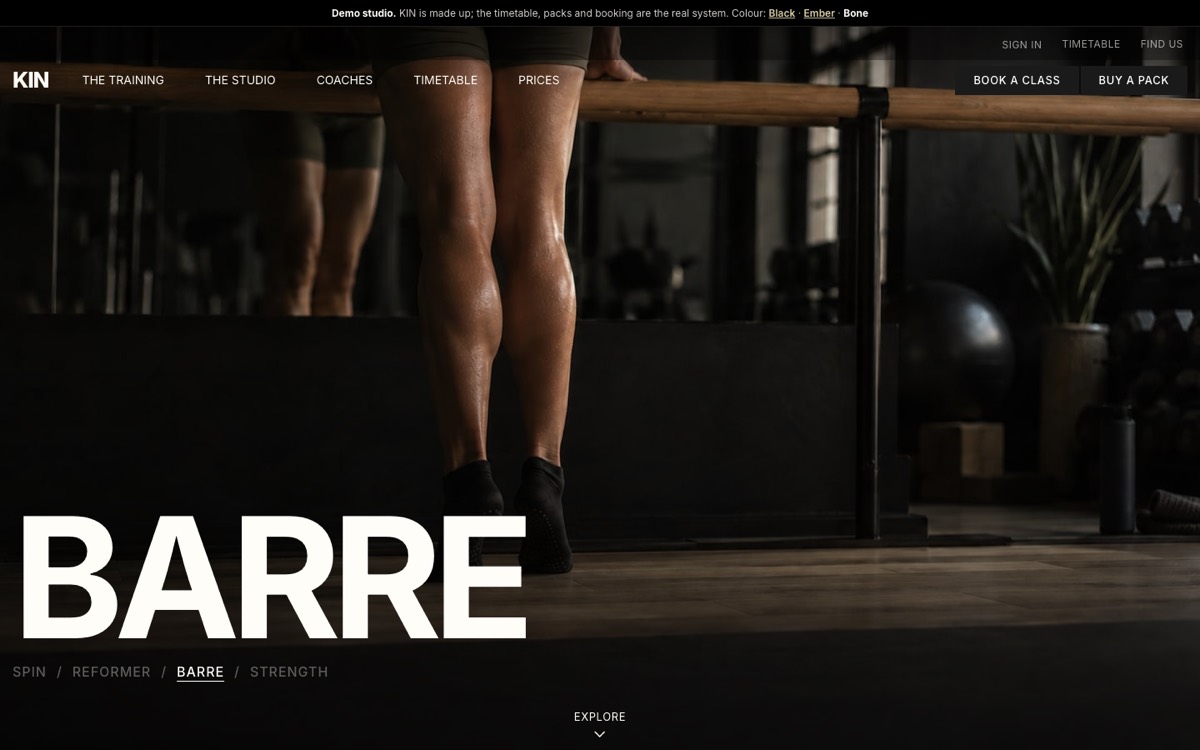
KIN, a made-up fitness studio website in the Black colour: a full-screen barre photo, Book a class and Buy a pack
KIN, a made-up studio on the real system: open the timetable and the packs
Customer buys a pack→They book a class→The class moves into your accounts as they come

Nobody types it twice.1

Teaching on your own? Good.

Start with one class.
Grow into a studio.

You do not need a big studio to use Fitness Studio. Use only the parts you need today. The rest waits until you need it.

One instructor

Just you and your classes

In a rented room or online. Put your classes on a timetable, sell packs of classes paid by FPS, and let people book from their phone. Every class they take is counted off for you.

A small studio

Add a team

Everything before, plus instructors with their own login who see only their classes and fill in the register, a check-in QR for the door, a waitlist, and your own cancelling rules.

Several rooms

Run a full timetable

Everything before, plus several rooms at the same hour, never two classes in one room or one instructor in two places. Monthly passes with a daily limit, and every client’s packs, attendance and spend in one place.

Same system, same HK$59 a month. When you add a room or an instructor, nothing moves: your classes, clients and books are already there.1

One instructor in a rented room, a small pilates studio, and a studio with several class rooms.

Set up once.
Then just teach.

Your timetable, your packs and your rules go in once. After that, customers buy, book and cancel on their own, and you open Today to see who is coming.

01

Your week

Add each class once: the days, the time, the room, the instructor and how many fit. Two rooms can run at the same hour. The same room, or the same instructor, cannot.

02

Your packs

A pack of ten classes to use within ninety days, or unlimited for a month. You choose which classes each one can be used for.

03

They book

Customers buy on your studio page, pay by FPS, then book one class at a time. A full class takes a waitlist.3

04

You take the register

Present, absent, or everyone at once. Or print the check-in QR for the door and they mark themselves in.

Today · Reformer Pilates 7.00pm · Studio A8 of 8 booked · 2 waiting
PresentGrace KohClass pack
PresentMei Ling ChuaPass
PresentAhmad RahimPaid for this class
AbsentPriya NairClass lost

One button marks the whole room present. The instructor fills it in from their own login.5

The Today page: who is in each class, how they paid, and the register.2

Your own website

A studio website.
Not a booking form.

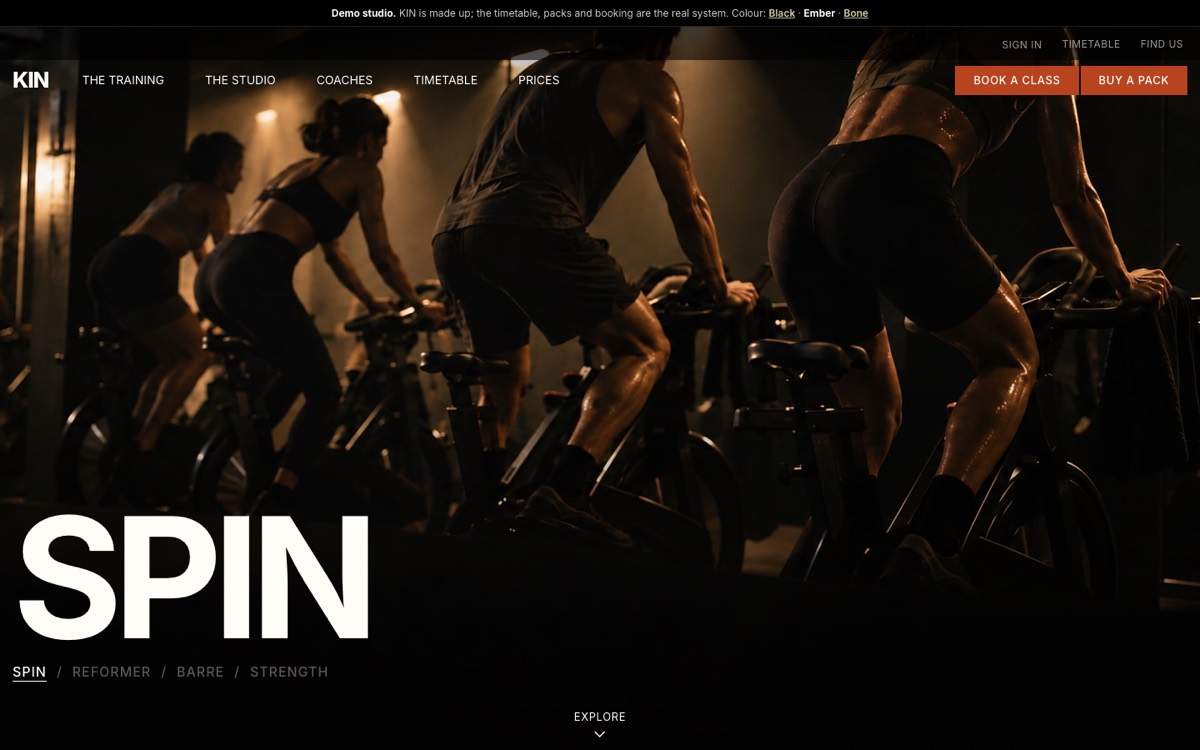
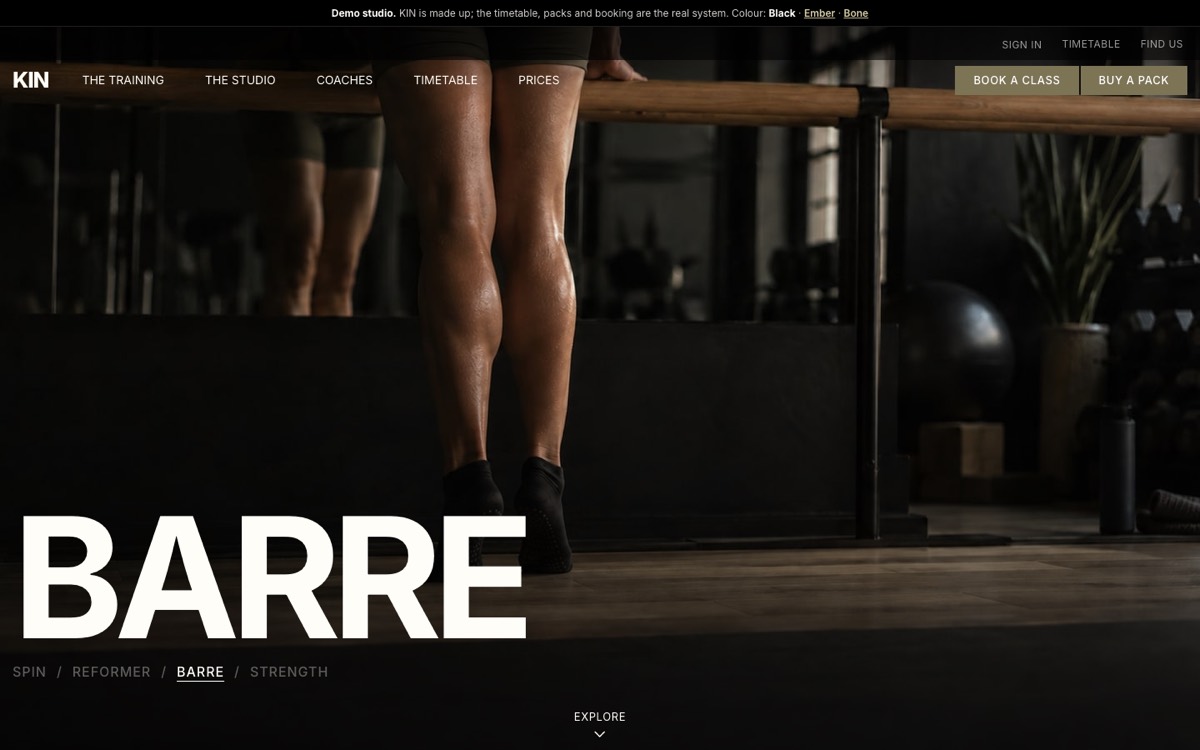
Switch on the Forge website and your studio link becomes a full website: big videos of your classes at the top, a panel for each class, your coaches, your timetable and your prices. Customers buy, book and cancel on it exactly as before.

The Forge website in Black, shown on KIN

Black. Near-black, cream words and khaki buttons. The classic gym look.

See it working in Black
The Forge website in Ember, shown on KIN

Ember. Black, with burnt-orange buttons. Louder, for a studio with energy.

See it working in Ember
The Forge website in Bone, shown on KIN

Bone. A light bone background with black words and buttons. Calmer, for yoga and pilates.

See it working in Bone

KIN is a made-up studio on the real system: open the timetable, the classes and the packs, and see exactly what your customers would.

Preview first

Try it before customers see it

Pick a colour, add your pictures and walk the whole website with your own classes. Customers keep seeing your current page until you switch it on, and you can change colour any time.

Your videos, or ours

Up to four classes at the top

Each class takes its turn with its name in big letters: Spin / Reformer / Barre / Strength. Upload a short clip or a photo for each. No footage yet? Pick one of ours and swap in yours later.

Always up to date

Built from your timetable

Your classes, their descriptions, your instructors and your packs come straight from Fitness Studio. Change a class and the website changes with it. A section you have not filled in is simply left off.

What comes out of
one pack.

10-class pack · Grace KohRunning
Paid by bank transfer, received 3 NovHK$250.00
Paid in advance, not yet usedBalance sheet
Use within 90 daysUntil 1 Feb
Tuesday Reformer, 7.00pm, present1 class used
That class, into revenueHK$25.00
Filed against the customerContacts
Left on the pack9 classes

Nobody counts classes by hand. The pack that runs out soonest is used first, and a pass that covers the day is used before a pack, so a customer never loses classes to the wrong order.

Money for classes not yet taken is not income yet. It sits on your balance sheet and moves into revenue one class at a time as people come, and classes that expire unused move too.4

How we compare

Fitness Studio vs
a studio booking app

Most studios start on a spreadsheet and a WhatsApp group, then move to a booking app built for studios. Those apps are good at the timetable. What they do not know is the rest of your business.

Fitness Studio
A studio booking app
Class packs, passes and a waitlist
Yes
Yes
Instructors who see only their own classes
Yes
Yes, on most
Bank transfer, straight into your own bank
Yes
Rarely
A cut of each booking or payment
None
Often
Unused classes on your balance sheet, moving into revenue as they are taken
Yes
No
Your sales and your profit and loss in the same login
Yes
No
A marketplace where new customers find studios
Your own page and link
Yes, on some
What it costs
HK$59 a month for everything in SME AI Office, with no cut of your takings
A monthly fee, often with a fee per booking on top7

Price

Start free.
HK$59 a month for everything.

Fitness Studio comes with Pro 365, alongside everything else in SME AI Office, and takes nothing from what you are paid, because the money goes straight from your customer’s bank to yours. Start on the Free plan, and move to Pro 365 when you need more.

Free
HK$0 / month
no card, no time limit
  • Up to 15 sales a month: orders, bookings and counter sales together
  • Your timetable, class packs and passes
  • Paid by FPS, straight to you
Start free
Pro 365
HK$59 / month
no cap on sales, cancel any time
  • Everything in SME AI Office, Fitness Studio included
  • Unlimited classes, packs and customers, with no per-booking fee ever
  • Unlimited rooms and instructors
Get Pro 365
Packs sold · To confirm2
PK-7KQ3MGrace Koh · 10 classes, HK$250Customer says paid
PK-H4X9RMei Ling Chua · a month, HK$220Customer says paid

See the reference in your bank, press Money received, and the pack is ready to book with.3

Every transfer carries its own reference, so you can match it.

Balance sheet · What the business owes30 Nov
Owed to the directorHK$5,000.00
Paid in advance, not yet usedHK$9,406.42
TotalHK$14,406.42

The classes you still owe people, in money, on the day you ask.4

Features

Everything in it.

Your timetable

  • A week grid of every class, filtered by room or instructor
  • Add a class once: the days, the start time, the length, how many fit, the price per slot, the first and last week
  • Several rooms at the same hour, never two classes in one room, and never one instructor in two places6
  • Online classes in an online room, which never clashes on room
  • A minimum to run: a class below it is flagged for you, never cancelled for you
  • Change the instructor any time, even after people have booked

Instructors and rooms

  • Instructors with a short bio, shown on the timetable
  • Their own login, with the Studio (instructor) permission: they see only the classes they teach and fill in those registers
  • Switch off somebody who has left, and their name stays on past classes
  • Rooms are set up right inside Fitness Studio and shared with your Bookings places, so the whole diary knows when a room is taken

Packs and passes

  • A pack of classes: a price, how many classes, and how many days to use them in
  • Unlimited for a week or a month, with an optional limit on classes a day
  • Which classes it covers: every class, or only the ones you pick
  • On sale or off: off takes it off your page, and anybody who bought it keeps it
  • The soonest-to-expire pack is used first, and a pass that covers the day before any pack

Selling and getting paid

  • Bought on your studio page with your bank details and its own reference3
  • Sell at the desk, paid in cash or by FPS, recorded in one step
  • Money received and Paid in cash, so a pack starts when the money is really there
  • More time on a running pack, or Bring it back with a new date after it has ended
  • Refund the unused part, worked out for you and recorded in your accounting4
  • Pay for one class: a drop-in pays for that class alone by FPS

Your website

  • The Forge website at your studio link, switched on when you are ready, and off again any time
  • Three colours: Black, Ember or Bone, each previewed with your own classes
  • Up to four classes at the top, each with its own video or photo, yours or one of ours
  • A panel for each class, your coaches with their photos, a quote, and your own words
  • The timetable, prices and My classes pages in the same look, where customers buy, book and cancel
  • A Journal (blog) in the same look, listed on Google, like KIN's

Running the day

  • Today: every class on the day you pick, who is booked, and how each person paid
  • A register: Present, Absent, or Everyone here is present in one tap5
  • Register not filled in is flagged, so none slips by
  • Call this session off, and put it back on if plans change
  • A missed class on a pack or pass: give it back to one person, or take it
  • A check-in QR to print for the door: they scan it and are marked present
  • Clients: everybody who has booked or bought, with their packs, classes left, attendance, no-shows and what they have spent. Open one to sell them a pack, book them into a class or cancel a place

Your rules

  • Free cancelling closes a number of hours before the class you set, 12 to start with
  • No-shows: they lose the class, or get it back, as your default
  • A waitlist, on or off
  • A renewal reminder a few days before a pass ends
  • Missed classes on a pass: after so many in so many days, pause their booking for a while. Off unless you switch it on
  • A check-in window around each class

Your customers

  • Your studio page at smeaio.com/s/yourname/studio: classes, packs and passes, and their own classes
  • They sign in with a code sent to their email, with no password
  • The next 14 days of classes, one day at a time
  • Their packs, how many classes are left and when they expire
  • Cancel from their phone, inside your rules
  • Emails when a pack is ready, a class is booked, a waitlist place opens or a pass is about to end

Your accounting

  • A pack sold is money for classes not yet taken, held on your balance sheet4
  • Into revenue one class at a time as people come, and a pass day by day across its month
  • Expired classes move into revenue too, on the day after the pack ends
  • Refunds recorded as their own lines, never by deleting the sale

Need more?
Here is how it grows.

The standard

Everything above

Everything above: the website, packs and passes, the timetable, the register and the back office, for one studio.

Ask

Missing something?

Press Feedback. If it would help other Hong Kong fitness businesses too, it goes into Fitness Studio for everyone, usually by the next working day.

Every account has a Feedback button that raises a real ticket, read by the person who writes the code.

Need it to work with a tool you already use? Ask the same way. We check that it can be done and tell you straight. You subscribe, we build the connection, and you try it on your own account. If we cannot make it work, you get your money back.

Before you sign up, [email protected] reaches the same place.

From an SME AI Office customer

“An entry point for a small start-up, without being overwhelming.”

“Looking for an easy way to manage my small business, I came across SME AI Office. This solution has an entry point for a small start-up, not overwhelming, while having more sophisticated features for future scaled-up operations. Had a chance to speak to the founder Kevin and was greatly encouraged that he listens to his clients, big or small, and is always open to see how he can improve the client experience. SME AI Office not only provides a solution, but provides the relationship management as if you are a big corporate. Very glad to chance upon this software.”

Shirley Ong · Pangolin Creatives Pte Ltd

Read every review

It does not stop at the studio

The rest of your back office is already here.

A pack sold becomes a customer record, a line on your balance sheet and revenue in your P&L as the classes are taken, without you entering anything twice. It all comes with Pro 365, so none of that costs you a second subscription.

Pack sold→ Customer filed→ Class taken→ Money in the P&L

That is what a large company pays six figures for and calls an ERP. Pro 365 is everything for HK$59 a month, plus everything we build after you subscribe.

Questions

Frequently asked.

How much does it cost?

Fitness Studio is part of Pro 365, which is everything in SME AI Office for HK$59 a month. There is no extra charge for it, no per-booking fee and no cut of what you are paid. You can also start on the Free plan: HK$0, no card, up to 15 sales a month.

Who is it for?

Fitness, yoga, pilates, dance and martial arts studios, and any business where customers buy a pack of classes and book them one at a time. One room or several, one instructor or a team.

How do customers pay?

By bank transfer. Your studio page shows your bank details, the amount and a reference to quote. The customer pays from their banking app and presses “I have paid”, and you press Money received once you see it in your bank. The pack starts then. The money goes straight from their bank to yours, so nothing is taken out of it. Somebody paying at the front desk is recorded with Sell at the desk, in cash or by FPS.

What happens when somebody cancels, or does not turn up?

Cancel before your cut-off, 12 hours before the class unless you change it, and the class goes back on their pack. Cancel inside it and it counts as used, unless you give it back. If they do not turn up, you choose the default: they lose the class, or they get it back. Either way you can change it for one person from the Today page.

How does the waitlist work?

When a class is full, customers can join its waitlist. If a place opens before your cut-off, the first person waiting who has a pack or pass is booked in automatically and emailed. If it opens inside the cut-off, everyone waiting is emailed and the first to book gets it. You can switch the waitlist off.

What happens to classes left on a pack when it expires?

They expire with it, and their value moves into your revenue. If you want to be kind, press Bring it back on the pack, give it a new end date, and the classes are theirs again. On a running pack, More time pushes the end date out.

Can my instructors log in?

Yes. Invite them from Settings, Team, and tick Studio (instructor). They see only the classes they teach, and they can take those registers. Calling a session off stays with you.

How does it show up in my accounting?

A pack or pass sold is money for classes you have not taught yet, so it goes on your balance sheet as Paid in advance, not yet used, rather than straight into income. Each class taken, and each class that expires unused, then moves its share into revenue, and a pass moves in day by day across its week or month. A refund is recorded as its own line. You do nothing for any of it.

Do my customers need to download anything?

No. Your studio page is a web page, opened in their phone browser from a link you share. They sign in with a code sent to their email, with no password to remember.

Stop counting classes
on a spreadsheet.

Put your timetable and your packs in once, and hand out one link. Start free today.

  1. Every business, person and figure shown in the screens on this page is invented and illustrative.
  2. Payment is by bank transfer. Your studio page shows your bank details, the amount and a reference, the customer transfers the money directly to your own bank, and a pack or pass starts once you record that the money arrived. A sale at the desk can be recorded as paid in cash or by FPS. Nothing is deducted from what you are paid because no payment processor sits in the middle.
  3. A pack or pass sold is recorded as money received for classes not yet taken, shown on the balance sheet as “Paid in advance, not yet used”. Each class taken moves its share into revenue on the day of the class; classes that expire unused move on the day after the pack ends; a pass moves in evenly, day by day. A refund of the unused part is recorded as a separate negative line rather than by deleting the sale, and the transfer itself is made by you. The balance sheet shown is illustrative.
  4. The register can be filled in by you, or by an instructor signed in with the Studio (instructor) permission, who sees only the classes they are named on. A customer who scans the check-in QR inside your check-in window is marked present.
  5. A class cannot be saved into a room that is already in use at that hour, or with an instructor who is already teaching then. A room marked online never clashes on room, because a video call is not a place, but its instructor still cannot be in two classes at once.
  6. Competitor prices are not stated on this site because they are not ours to keep current. Comparison correct to the best of our knowledge at the time of writing; if a row here is wrong, tell us at [email protected] and it will be corrected.