A little shop. A clearer day.

One business day.
Everything connected.

A sale comes in. An expense is recorded. Payroll is posted. See how each changes the same set of books, then ask what the numbers mean.

Guided simulation · fictional records · no login, uploads or live AI calls. Nothing is saved to an account.

A customer orders.
Your books keep up.

No copying the sale into a second spreadsheet. In this example, recording a paid order adds S$120 to sales.

Wren & Rattan · sample order #1042

2 woven baskets × S$60S$120.00
PaymentAwaiting confirmation

For manual PayNow or bank transfer, confirm receipt of the money first. A connected payment provider can confirm supported payments automatically. See payment guides.

A receipt becomes
a useful record.

Review the supplier, amount and category before relying on the record. Save this sample packaging expense and see expenses increase by S$36.

Sample receipt · packing supplies

SupplierSample Packaging Co.
CategoryPackaging expense
Total paidS$36.00

Receipt scanning is a Pro feature. This sample is already extracted; no document is uploaded or scanned here. See the real scanning workflow.

Pay your team.
See the business cost.

Staff cost includes employer contributions as well as gross pay. Posting the sample adds S$5,627.25 to expenses; employee deductions are already part of gross pay.

One employee · illustrative approved batch

Gross payS$4,800.00
Employer contributions and levyS$827.25
Total staff costS$5,627.25

A fixed example, not a CPF calculator. Actual payroll depends on the employee and applicable rules. Staff payroll requires Pro. See the payroll walkthrough.

Ask about the records
you have just changed.

Choose a question to see a prepared answer calculated from this demo’s sample totals. In the product, the AI assistant works with the records available to it.

Profit is recorded sales minus recorded expenses. Missing bills, tax, stock adjustments or other entries can change the result.

This demonstration uses prepared responses, not live AI. Explore the built-in assistant or connecting your own AI.

From the actual product

See the steps behind the story.

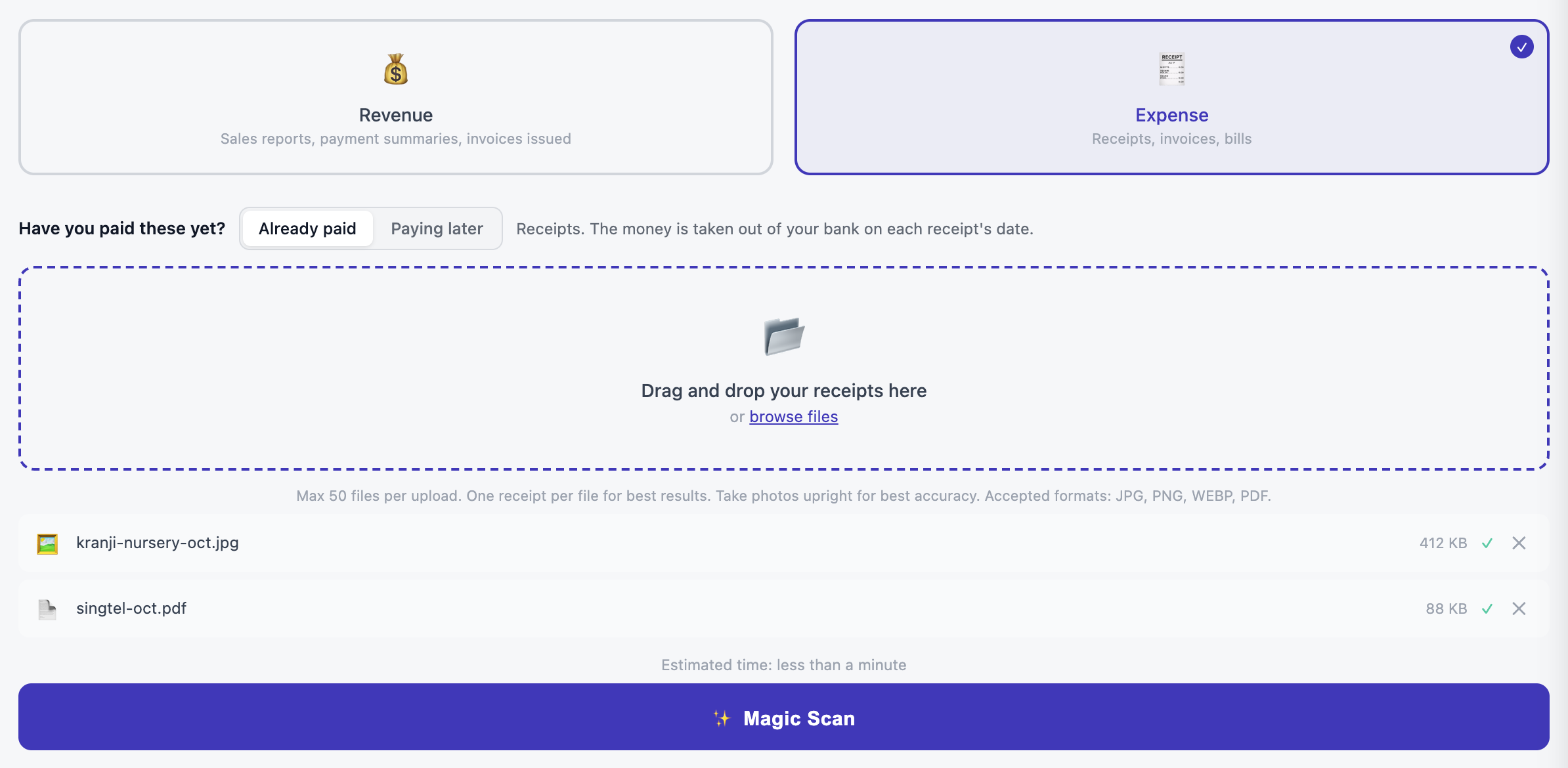
SME AI Office receipt upload screen with Expense selected and the Magic Scan action
Record your expenses. Choose expense or revenue, upload the document and review the result. Follow the receipt guide →
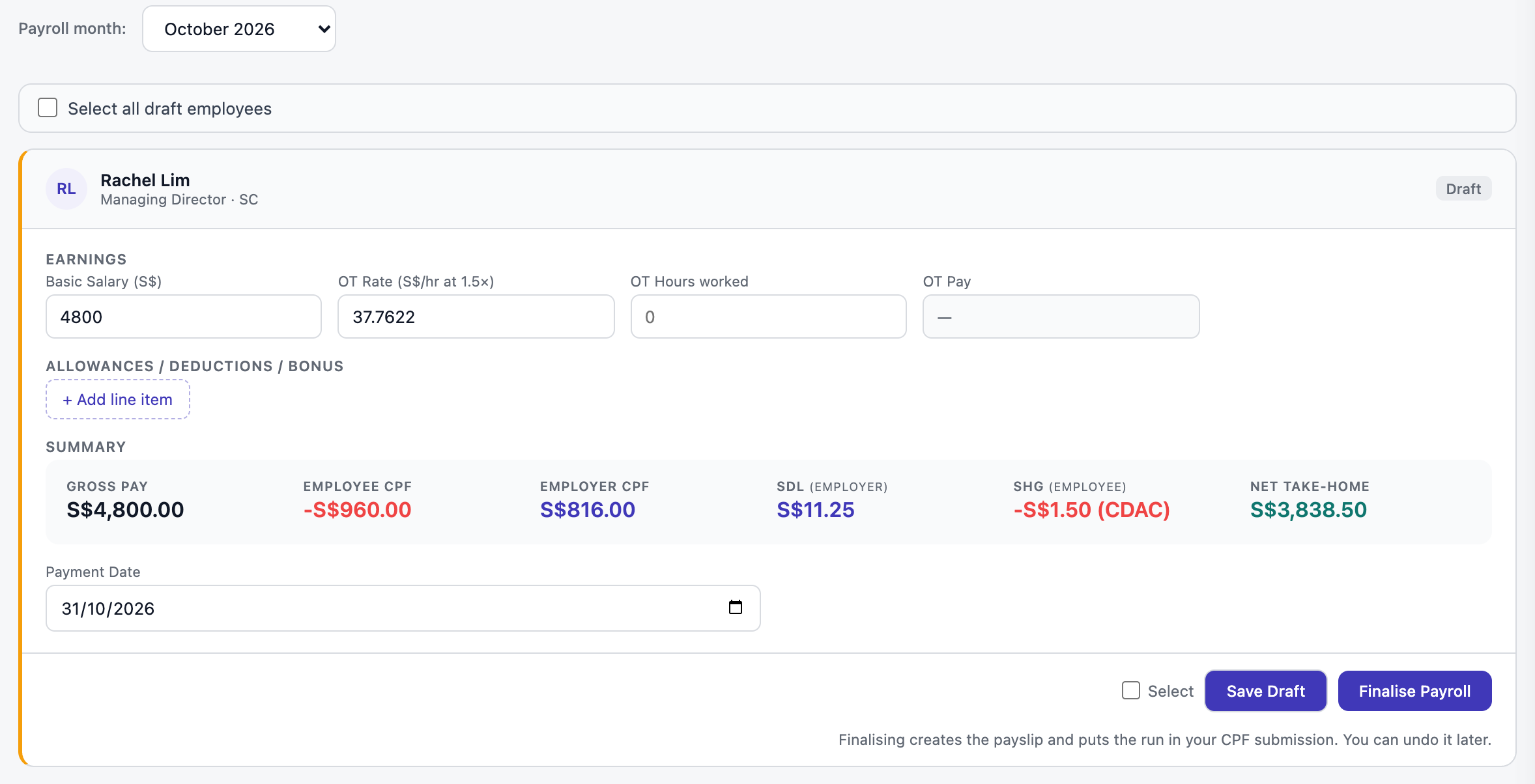
SME AI Office payroll screen showing gross pay, deductions and employer contributions
Review your payroll. Check the employee’s pay and contributions before completing a run. Follow the payroll guide →
The reason we built it

More time for the business you started.

The problem. You become the link between every tool.
The change. Sales, people and accounts share one system.
The payoff. Less copying. More time with customers.

24-second silent film with on-screen captions. Play when you are ready.

Read the film transcript

Too many tools. One busy owner. Orders here. Receipts there. Another evening catching up.

Bring your business together. A place for customers to buy. A back office to keep track.

From a sale to your books. Connected sales enter your accounts. Review your records as you go.

More room for your customers. Spend less time switching tools. Keep your business in view.

Start with one business task. Start free. Add Pro 365 when you need more back-office tools. Try it at smeaio.com.

Meet the people behind SME AI Office → · Explore businesses on the platform →

Start with what you need today.

Your website, orders, bookings and POS are free. Pro adds the full back office at S$365 a year or S$39 a month. Compare plans and limits.

Start free →

Already have a website?

You can start with accounts, invoices or payroll. Explore the back office, or get help setting up.

The demonstration does not create an account or retain your selections.