Help/Accounting/Balance sheet
Balance sheet
What the business owns, what it owes, and what is left for the owner. It is worked out from your P&L, so once it is set up there is very little to do by hand.
Screenshots use a fictional business and figures. Select an image to view it full size.
Set it up once
The first time you open Balance Sheet, it asks where the business stood on the day you want to start from.
Pick a Start date. The start of your financial year is a good choice. Everything in your P&L from that date on is counted.
Type what was in the bank and in cash that day. Equipment comes from your asset register by itself. Add anything else it owned, such as a rental deposit.
Type what it owed: loans, money a director had lent it, and GST not yet paid to IRAS. For a company, add the paid-up capital from your ACRA BizFile.
-
Read the sentence at the bottom. It says what those numbers add up to. Press Save and show my balance sheet.
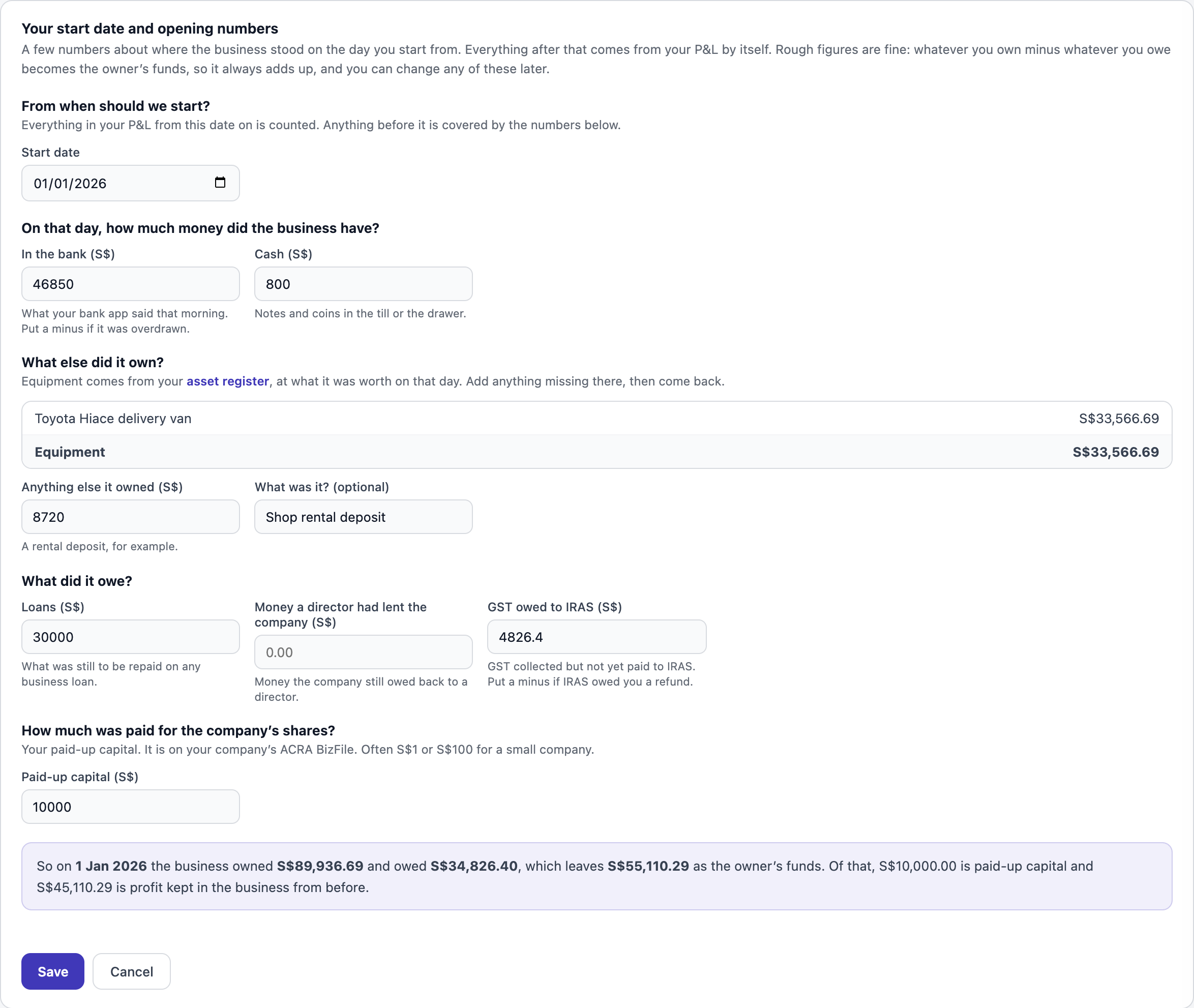
Rough figures are fine. You can change them later with Change start date or opening numbers. Open full size
Read it
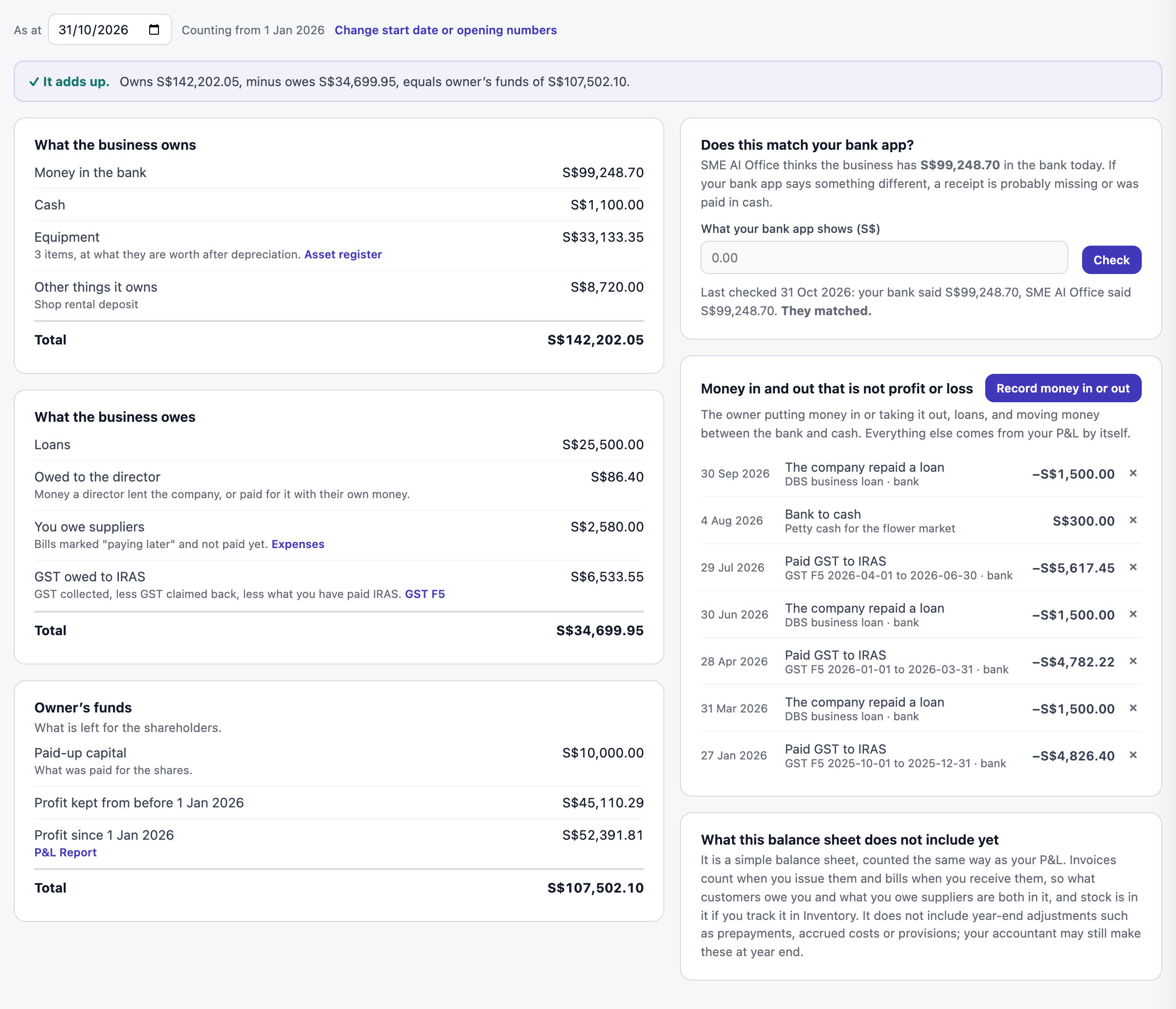
Pick a date in As at to see the balance sheet on any day since you started. The green line at the top checks that what it owns, less what it owes, equals the owner’s funds.
Check it against your bank
-
Open your bank app and type what it shows under What your bank app shows (S$). Press Check.
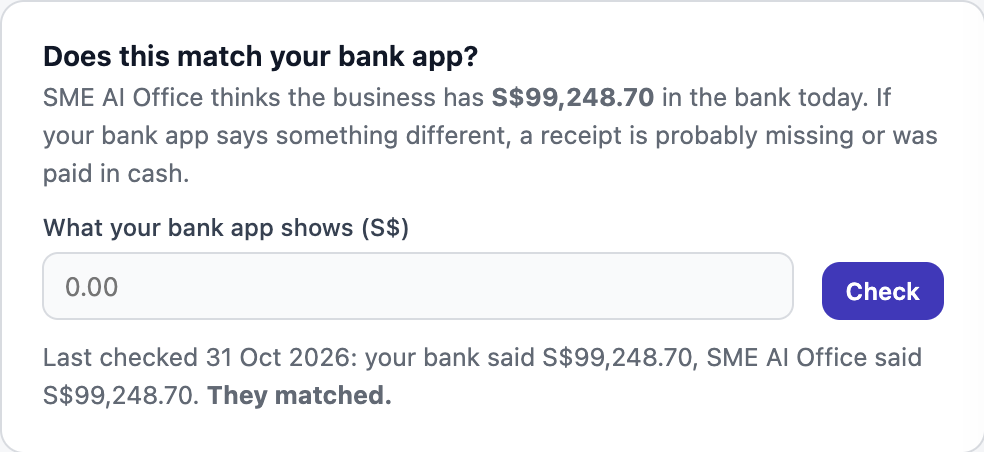
Checked today, and they matched. Open full size If they do not match, a receipt is usually missing, or something was paid in cash or with your own card. Find it in Expenses and fix Paid from.
Money that is not profit or loss
Some money moves without being income or a cost. Record it with Record money in or out:
- The owner putting money into the company, for shares or as a loan, or taking it out as a dividend or a repayment.
- The company borrowing money, or repaying a loan. Loan interest is an expense, so it goes in Expenses instead.
- Moving money between the bank and cash.
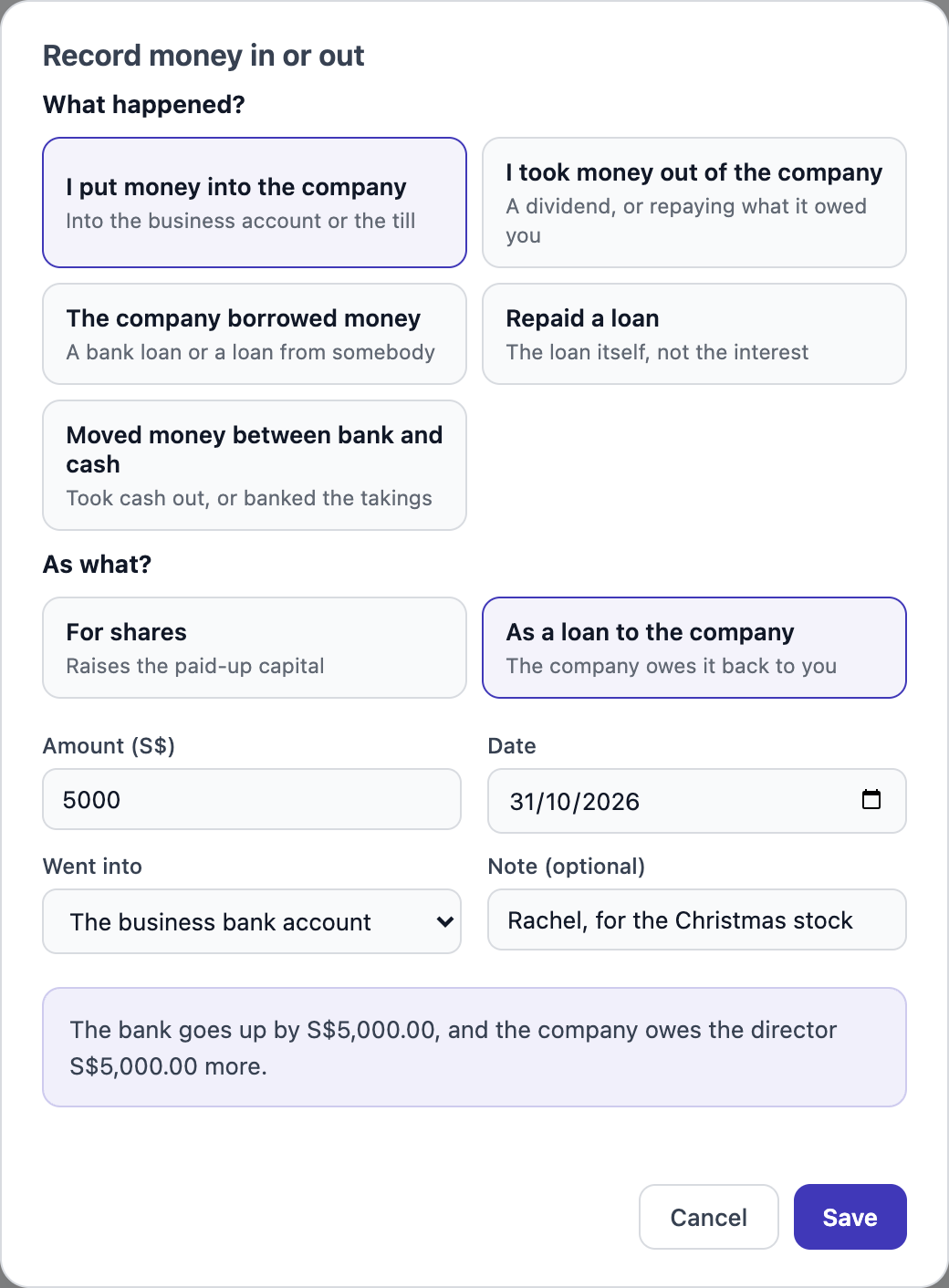
A salary is not recorded here; it goes through Payroll. GST you pay IRAS is recorded from the GST F5 page.
Questions
Is this the same as my accountant’s balance sheet?
It is a simple balance sheet from your own records. It does not count stock on your shelves unless you use Inventory. Your accountant may still adjust it at year end.
The bank figure is negative.
A warning appears. Usually the opening bank figure was too low, or money came in that is not in your P&L yet. Press Change start date or opening numbers to check.
I recorded something by mistake.
Press the × on that line under Money in and out.
Next: GST F5 · ← Accounting