Payroll
Payday sorted. People looked after.
Run Singapore payroll with CPF calculations, payslips and export files in SME AI Office. Payroll for yourself is free; Pro 365 adds payroll for your staff. Review the run before finalising it.
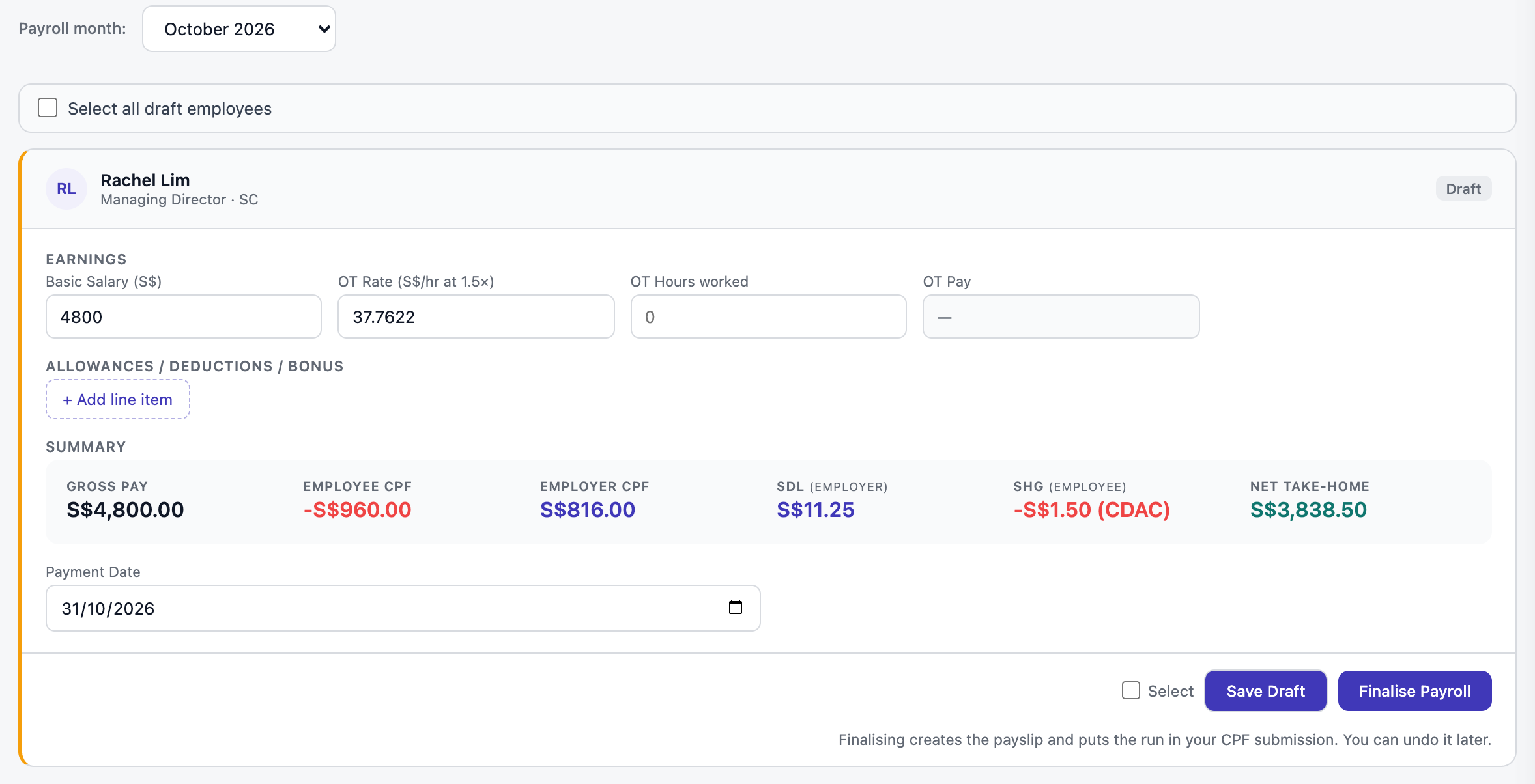
CPF by age and PR year, worked out for you.
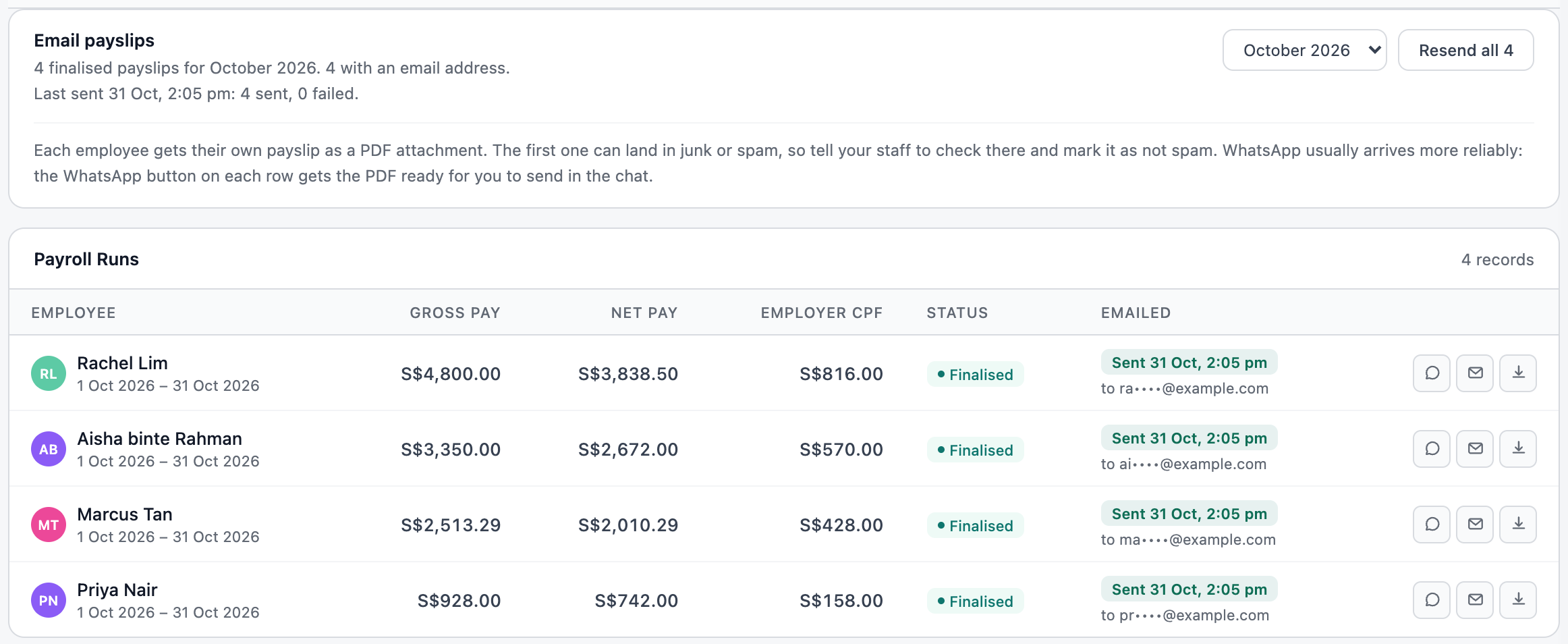
Each person gets their own payslip by email.
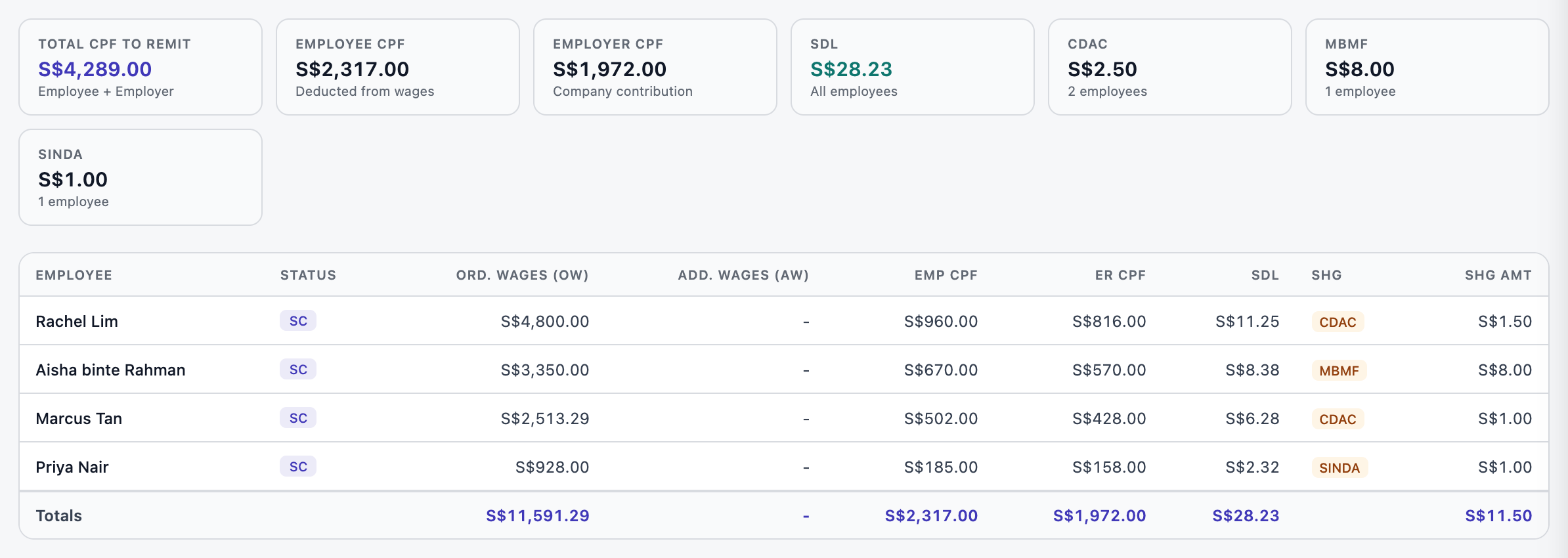
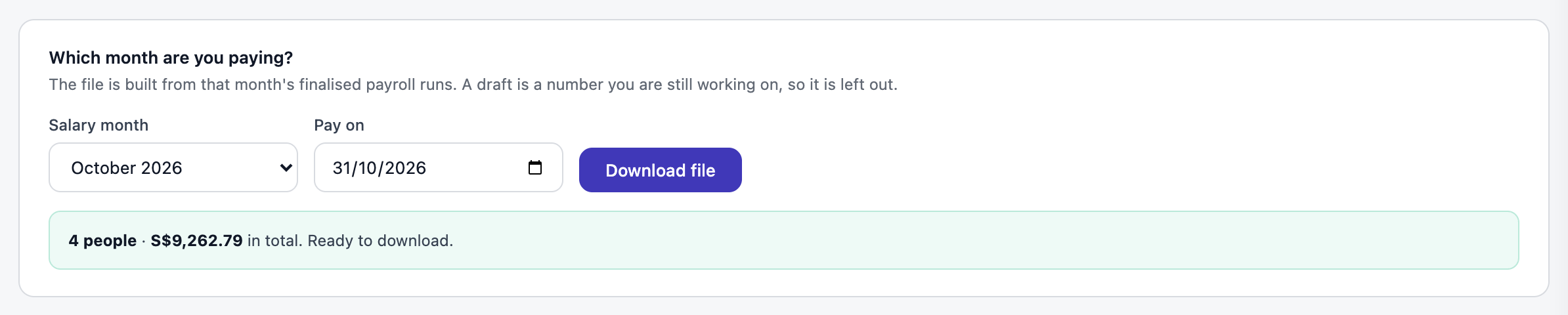
The CPF file and the bank file, ready to upload.
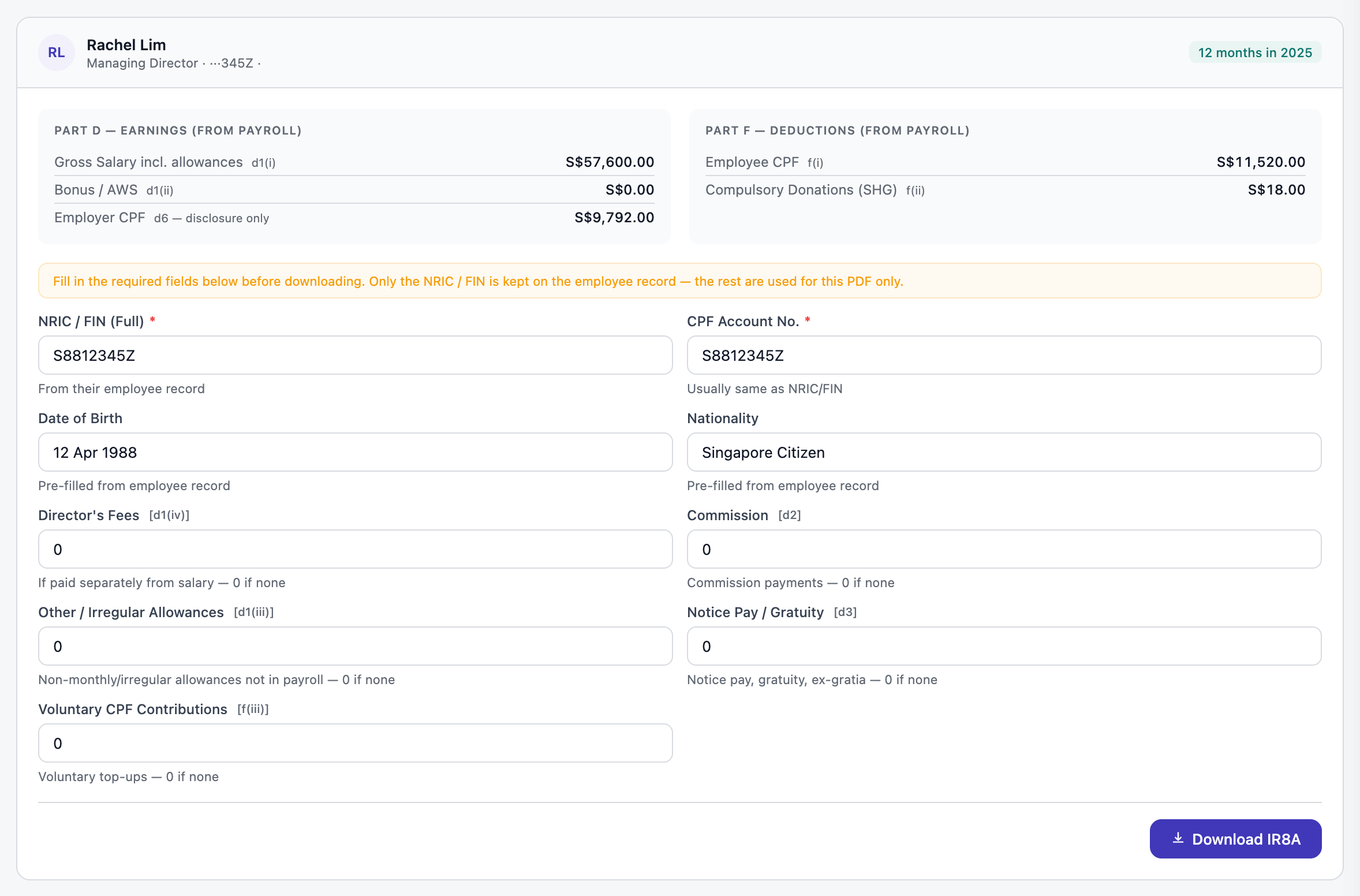
IR8A built from your finalised months.
Payroll for yourself is free. Payroll and CPF for your staff is Pro 365, S$365 a year.
Questions
Does SME AI Office work out CPF for my staff in Singapore?
Yes. SME AI Office works out each person’s CPF from their age, their PR year and the wage ceiling, plus SDL and their self-help group fund (CDAC, SINDA, MBMF or ECF). You check each card, finalise, and the payslip is made.
Is payroll free?
Payroll for yourself, the owner, is on the Free plan. Payroll and CPF for your staff is Pro 365, S$39 a month or S$365 a year, which also includes HR: the staff app, leave, claims, attendance and documents.
Does it submit CPF for me?
No. SME AI Office makes the CPF EZPay file from each finalised month. You upload it on CPF EZPay with Singpass and pay by the 14th of the following month.
Can I pay all the salaries in one go?
Yes, if you bank with DBS. SME AI Office makes one file for DBS IDEAL that pays each person into their bank account or by PayNow. With another bank, you pay by transfer from the payslip figures.
Does it prepare IR8A?
Yes. Each employee’s IR8A is added up from the payroll you finalised for the year. You fill in anything paid outside payroll, then submit through myTax Portal by 1 March.
How do my staff get their payslips?
Each person gets their own payslip as a PDF by email, or you send it on WhatsApp. Staff on the staff portal also see every payslip on their phone. Finalised salaries and employer CPF go into your profit and loss by themselves.