Help/Personal Coach
Personal Coach
For anyone who sells their own time: personal trainers, coaches, tutors, therapists and stylists. Clients book and pay on your own page, buy a pack of sessions, and keep the same slot every week. You open Schedule and see where to go next.
Screenshots use a fictional business and figures.
What you can do
Set up
What you offer, where you work, your hours, and how you get paid. Then share your link.
Session packs
Make a pack, sell one, confirm a PayNow payment, give more time, refund, and your rules.
Recurring bookings
How a client asks for the same time every week, how you check and approve, and stopping.
Your website
Turn your booking link into a website in White or Black, preview it, and switch it on.
Schedule and Clients
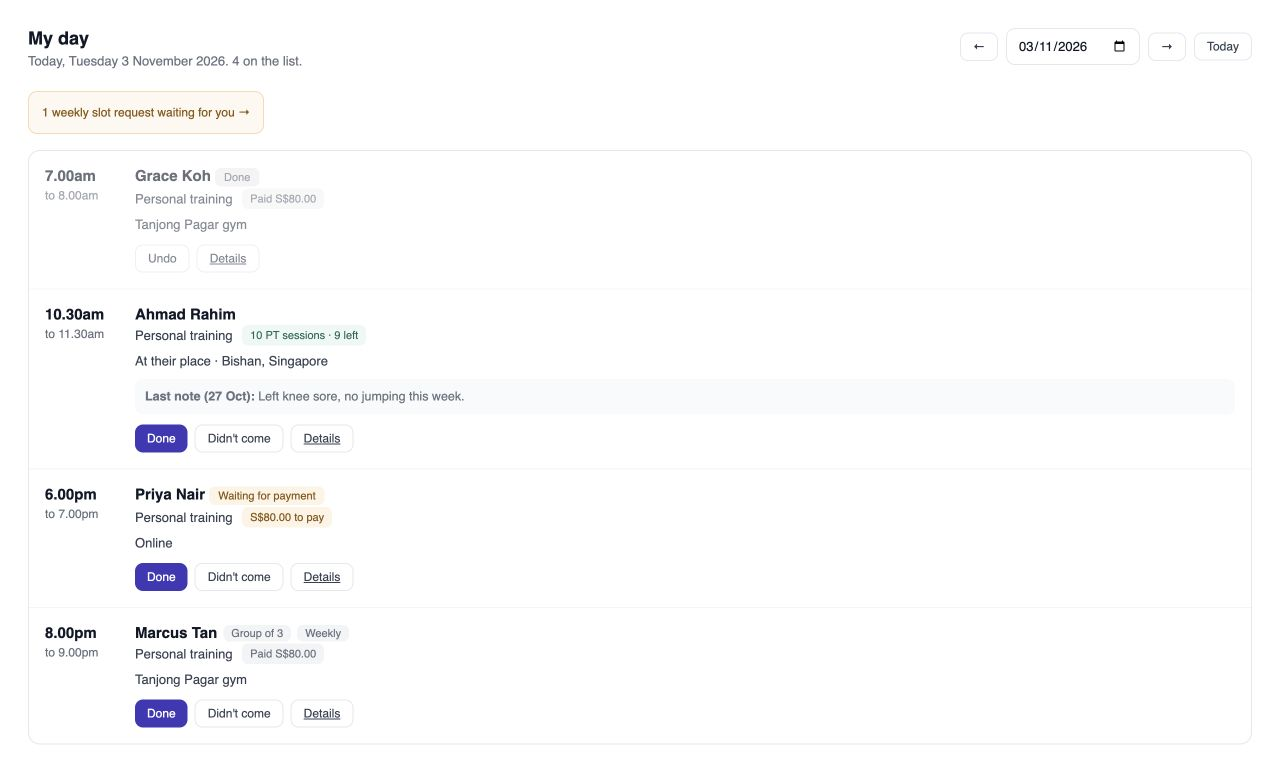
Today in order with where to go, one-tap Done, and each client’s packs, sessions and notes.
Take bookings
Confirm a payment, add a booking yourself, move, cancel or mark done, and holds that ran out.
Booking settings
Services, places, opening hours, booking rules and payments, in detail.
Classes and event days
A class with a register, and an event day with its own times.
Discounts and customer rates
Discount codes, and tagged customers' own prices.
Messages and alerts
Email and WhatsApp wording, Telegram alerts and Google Calendar.
Refunds and reviews
Send a refund, ask for a review, and choose which reviews show.
How it works
Once: add what you offer, where and when, and the packs you sell.
Your client books a time you are free on your page and pays by PayNow, or buys a pack and picks Use my pack.
Your regulars ask for the same time every week. You check the weeks against your diary and book them in one go.
On the day: open Schedule, go where it says, and tap Done.
Where everything is
The Personal Coach sidebar has the same seven parts as every business in SME AI Office:
- Today (your schedule): Schedule, Overview, Calendar, Appointments and Google clashes.
- Sell (services and packages): Services, Packages, Recurring bookings, Classes, Event days, Customer rates and Discounts.
- Customers (clients): Clients and Reviews.
- Website: Website, About & photos and Blog.
- Money: Invoices.
- Set up, at the bottom: Settings and Payments. Settings is one page with everything about how people book you: Booking page, Opening hours, Places, Booking rules, Policies, Payment rules, Messages, Alerts and Google Calendar. Tap one to open it.
- Back office: your accounts, invoices, payroll, GST and compliance, opened right here in this menu. You never leave your business: the menu, the top bar and the address stay the same, and the numbers are the same ones the plain Back office shows. The Back office tab in the top bar opens it on its own.
Used Bookings before? Bookings is now Personal Coach. Your services, places, hours and bookings are all still there, your booking link has not changed, and every screen works as before; they now sit under the seven parts above, and their guides are all in this Personal Coach help.
Personal Coach sells your time, not items. Services, session packs and recurring bookings are all here. Selling things (kits, books, merchandise) is Retail.
On the Free plan? Sessions are unlimited, with no monthly fee. Clients pay by the PayNow QR we make for you, free; cards and PayNow that confirms itself go through your own HitPay account, with no platform fee from us. See The Free plan and Pro 365. More than one location, or many tools to join into one system? That is Custom.